From Circuit to Classroom: How the micro:bit Makes Coding Real
Can a circuit board make coding feel real? The Micro:bit brings code into students’ hands, turning abstract logic into motion, light, and sound at low cost.

Teaching children to code has evolved from typing text on screens to manipulating colorful blocks and even building robots that respond to the world around them. Yet, despite the many approaches available, one challenge remains constant: how to make programming feel real at an affordable cost. Learning loops and variables in a purely digital space can seem abstract, especially for young students who learn best by doing. True understanding often comes when code has visible consequences, when a line of logic makes something move, light up, or react.

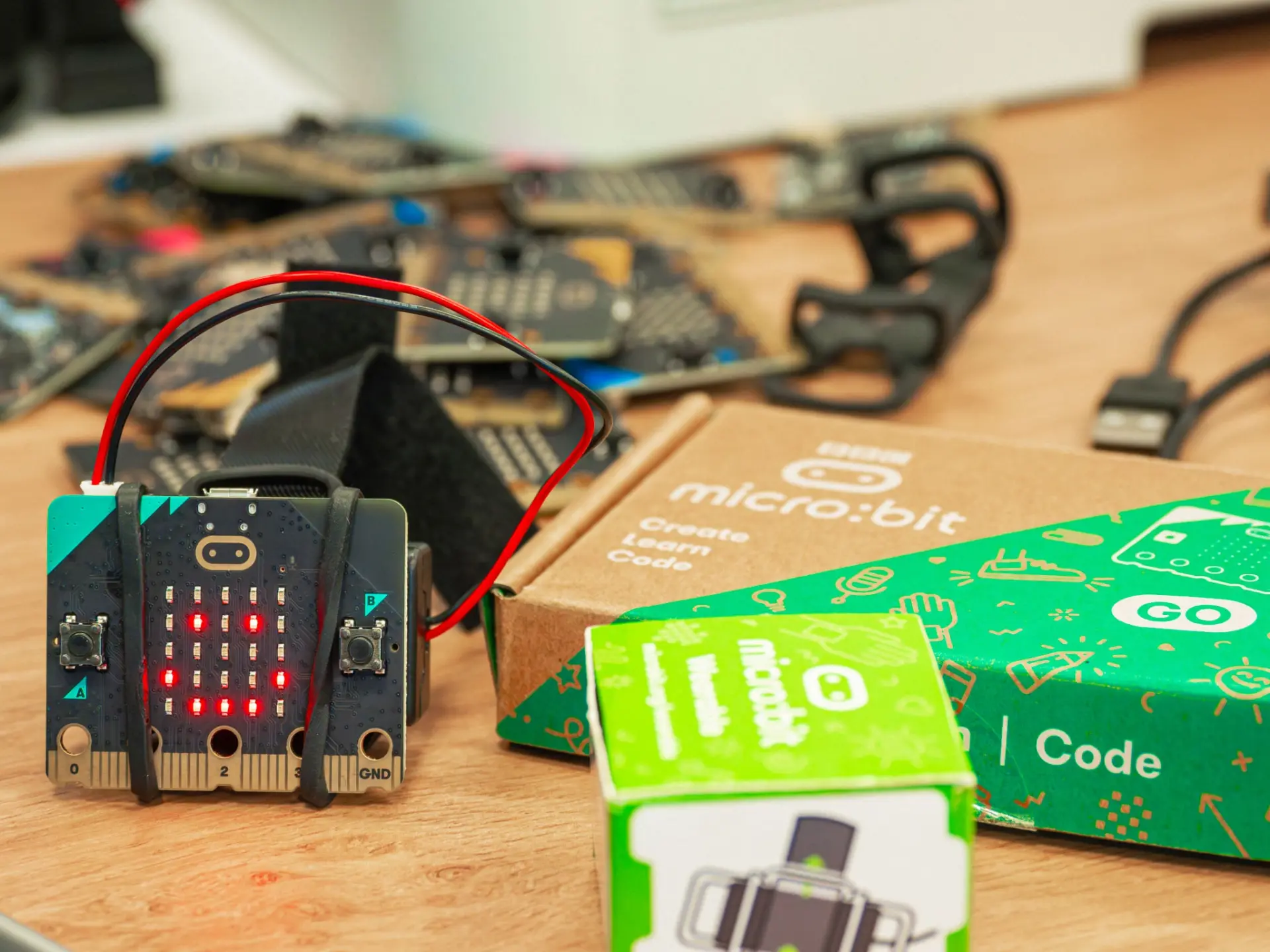
Millions of micro:bits are used by students across the world.
Few educational tools have bridged this gap as effectively as the BBC Micro:bit, a small microcontroller board created to make programming tangible. Designed to turn ideas into immediate physical feedback, it has become a mainstay in classrooms around the world. In this article, we explore why tangible computing matters in education, how the Micro:bit’s hardware empowers hands-on learning, and the ways it continues to transform classrooms nearly a decade after its debut.
The Challenges of Teaching Code
Teaching programming to beginners has always been an uphill battle because code is abstract and invisible. A new learner can write lines of code, but without context, those lines just make something happen on a screen. Early education pioneers recognized this problem and sought ways to make coding more concrete. Visual tools like Scratch emerged to lower the barrier. Instead of typing cryptic syntax, kids snap together colourful blocks and immediately see characters move and interact on the screen. Scratch revolutionized how children learn coding: it’s now the world’s largest coding community for kids, with over 100 million users. It teaches them to think creatively and systematically. Yet, for all its impact, Scratch still lives behind a monitor. A child’s code in Scratch might animate a cat or play a sound, but it remains a screen-bound experience. The intangible nature of code persists; after all, you can’t touch a Scratch project or hold it in your hands.
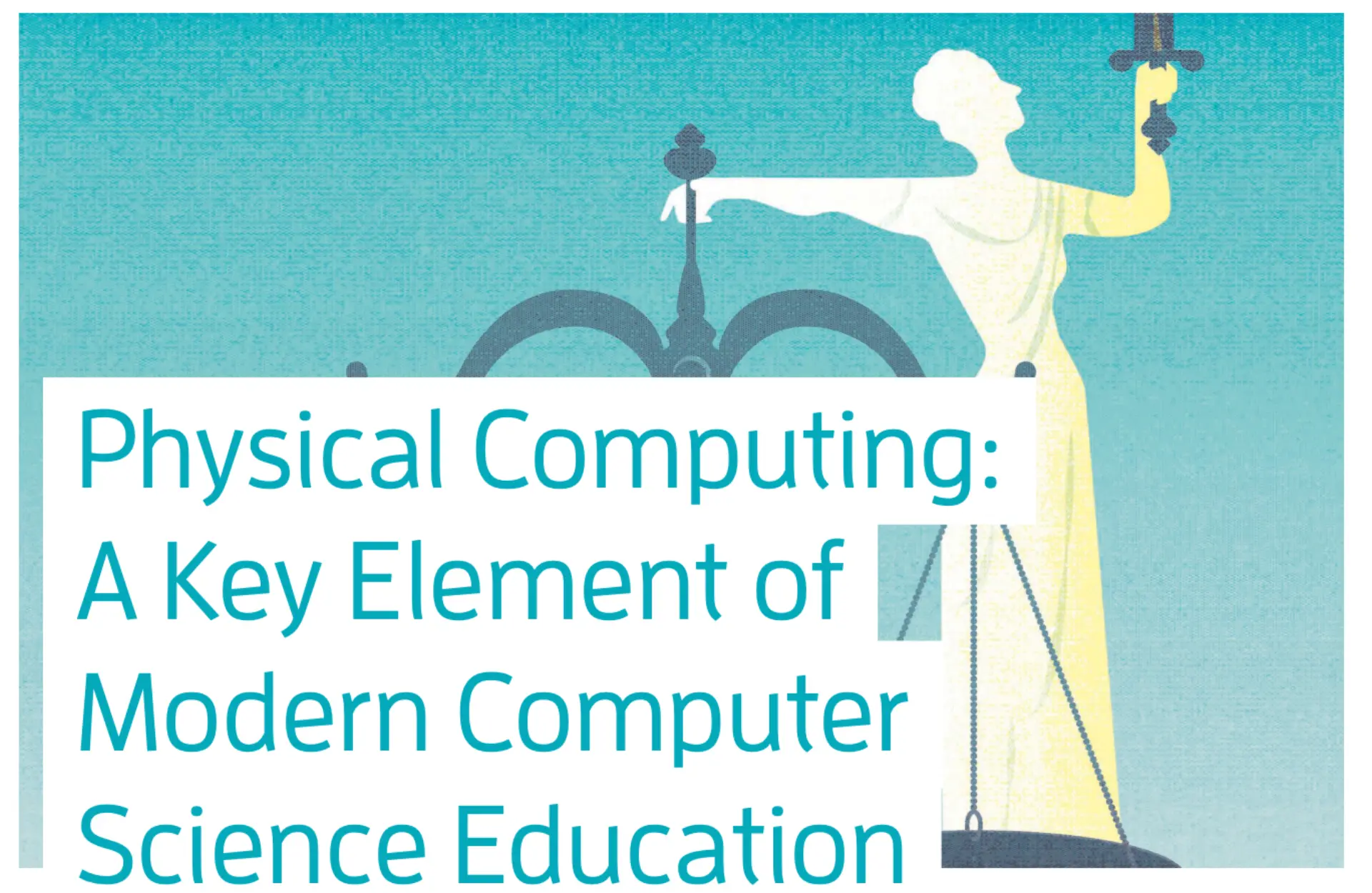
This is an amazing article from Microsoft Research providing an overview of physical computing and its value in the classroom, using the BBC micro:bit as an example.
Educators and researchers have realized that to truly demystify coding, we need to bring code into the real world. This is the idea behind tangible or physical computing: connecting coding with physical action and feedback. Instead of code acting only in a virtual realm, students can write programs that blink lights, sense their environment, or move gadgets in response, making the results of code visible and tactile. Studies have noted that physical computing that merges coding with tangible objects enable children to interact with the digital world. In other words, by bridging the gap between abstract code and real-world effects, we give learners something they can see and feel. The appeal is immediate: imagine the difference between explaining an “if” statement in theory, versus showing it trigger a real LED or buzzer. Not only does this approach solidify understanding, it also sparks excitement and creativity. Students get to witness the cause-and-effect of their code, which makes computing concepts far more concrete and engaging.
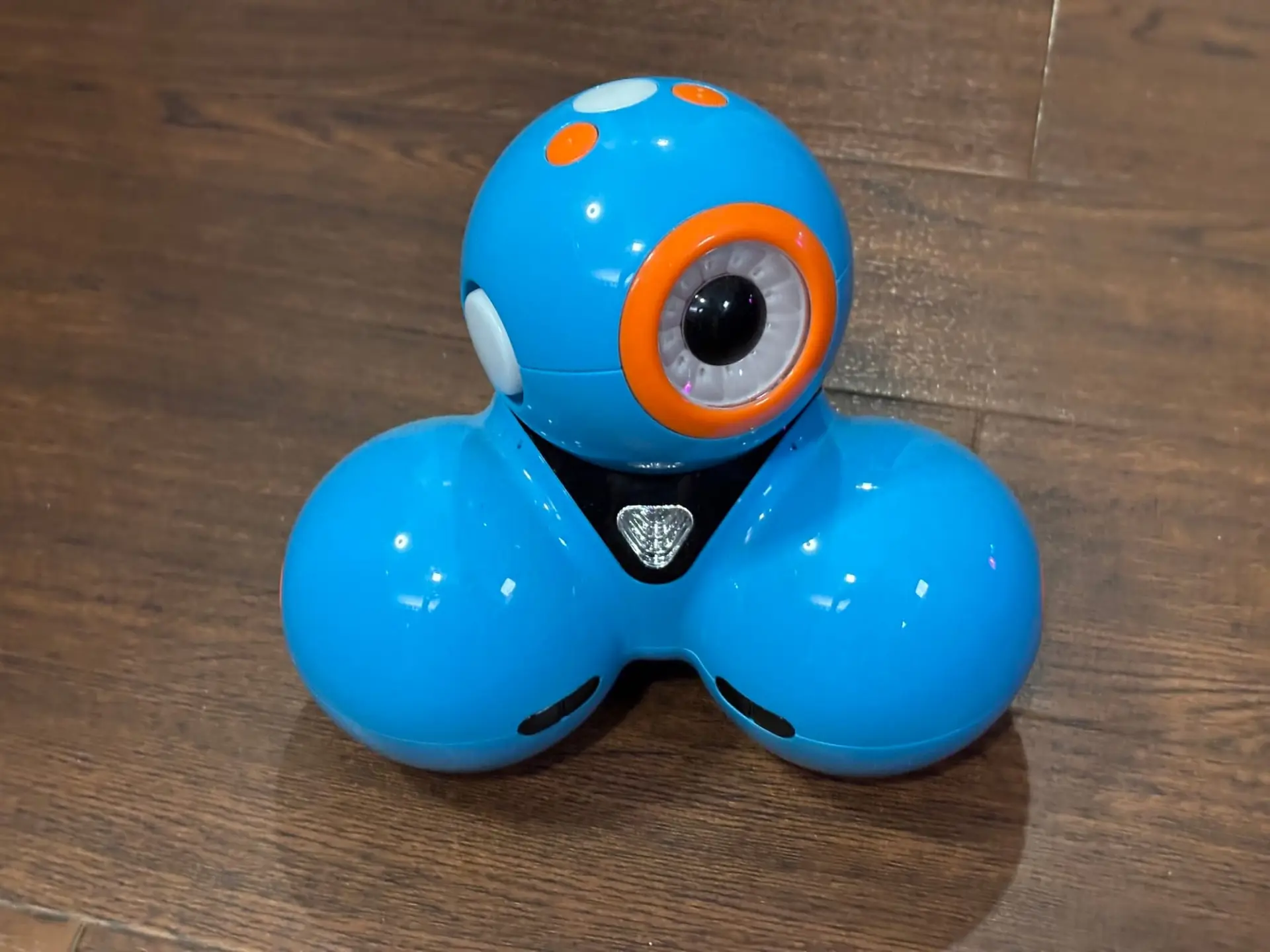
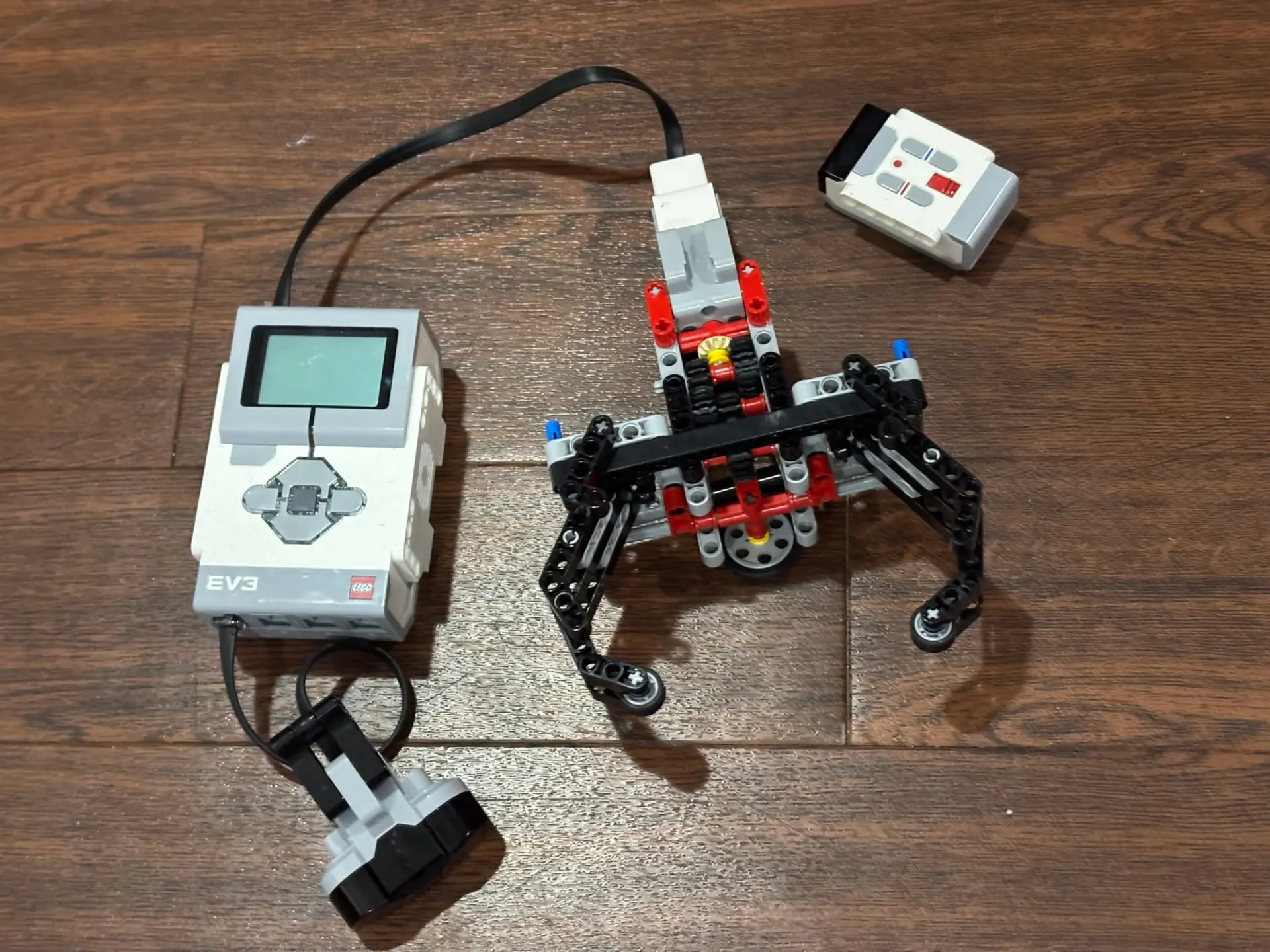
Robotics and gadgetry in education have long promised this tangible learning. Two approaches from the past decade highlight the trade-offs in this space. On one end, we have LEGO Mindstorms, the classic build-and-code robotics kit. Mindstorms allows students to construct robots from scratch and program them to life. It's a powerful, open-ended learning experience. However, Mindstorms kits come with notable hurdles: they are expensive, and setting up a classroom full of LEGO robots can be time-consuming and technically involved. This gets even more complicated when you mix in a Raspberry Pi. On the other end, there are ready-to-go robots like Dash from Wonder Workshop. Dash is a charming little robot that arrives fully built and can be driven with a tablet app. It’s easy and fun: within minutes, kids can make Dash roll around, sing, or react to voice commands. The trade-off is that Dash is a closed system; it’s a sealed, polished robot that kids can program but not physically modify or extend. They can’t take Dash apart to add new sensors or repurpose its parts: essentially, as some educators put it, “it’s a black box robot. Thus, each of these approaches falls a bit short of the ideal.
This is where the BBC Micro:bit comes in as a bridge between those worlds. It is a pocket-sized, programmable microcontroller board born from a UK initiative to make coding tangible for every child. It was deliberately designed to be low-cost, sensor-rich, and open-ended, combining the strengths of both approaches. Like Dash, a Micro:bit is ready to use out of the box, with built-in LEDs, buttons, and sensors that students can start coding right away. But like Mindstorms, it’s also extensible and creative: students can attach additional components, connect it to gadgets, or incorporate it into their own inventions. In essence, micro:bit makes coding real. With it, kids can write a simple program and see it come to life off the screen: numbers scroll on a tiny LED display, a compass points north, or a melody plays from a speaker.
The Hardware of the Micro:bit v2
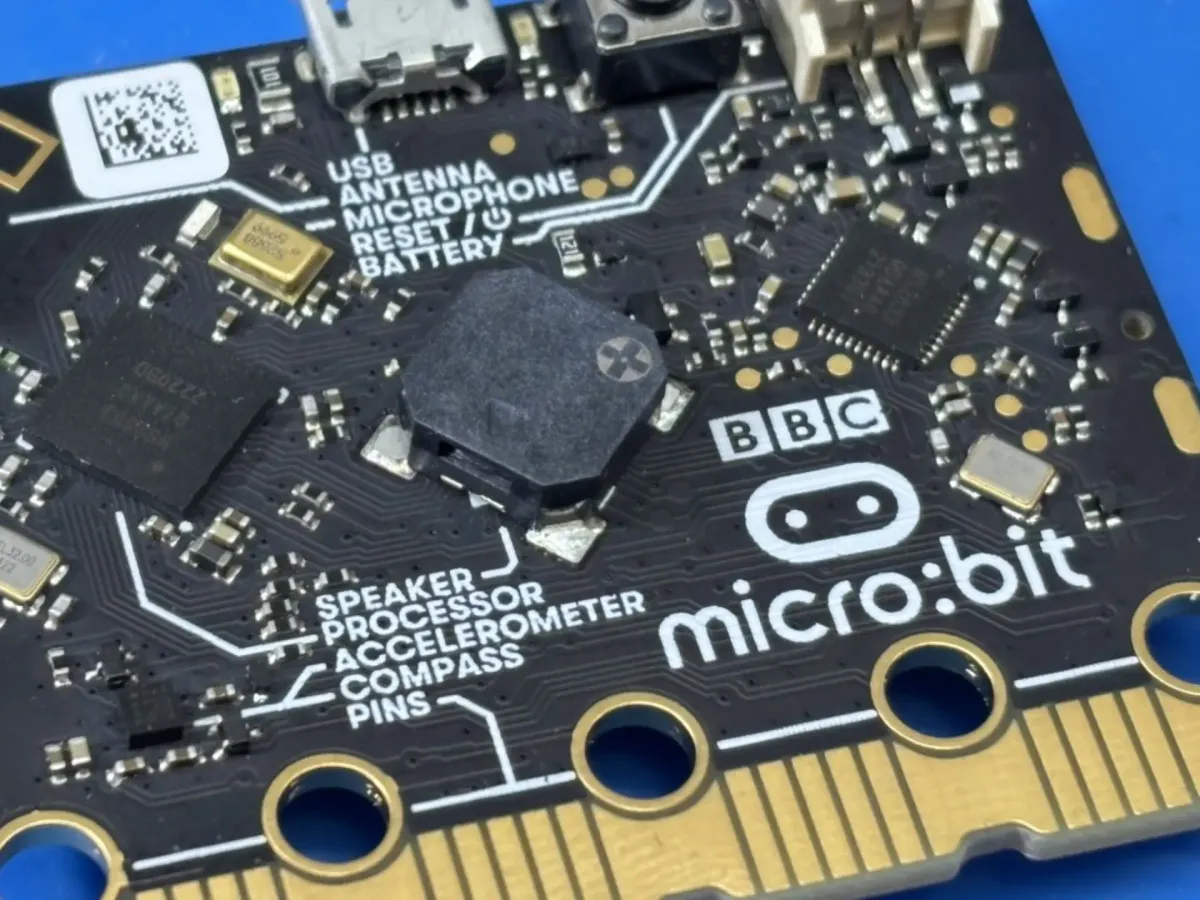
The BBC Micro:bit v2 is the result of years of refinement from the original 2016 design, built to make computer science both approachable and tangible for students. Created in collaboration with the micro:bit Educational Foundation, this second-generation board replaces the earlier ARM Cortex-M0 with a more capable Nordic nRF52833 ARM Cortex-M4 processor, running at 64 MHz and featuring 128 KB of RAM and 512 KB of flash storage. It also integrates Bluetooth 5.0 Low Energy and USB 2.0 Full Speed directly into the system-on-chip, improving connectivity and power efficiency. These specifications place it firmly within the realm of real microcontrollers, yet simple enough for beginners to explore without risk. The design is intentionally centered on immediacy. Students can see, hear, and feel the results of their programs using the built-in components, allowing them to understand cause and effect without needing additional hardware or wiring.
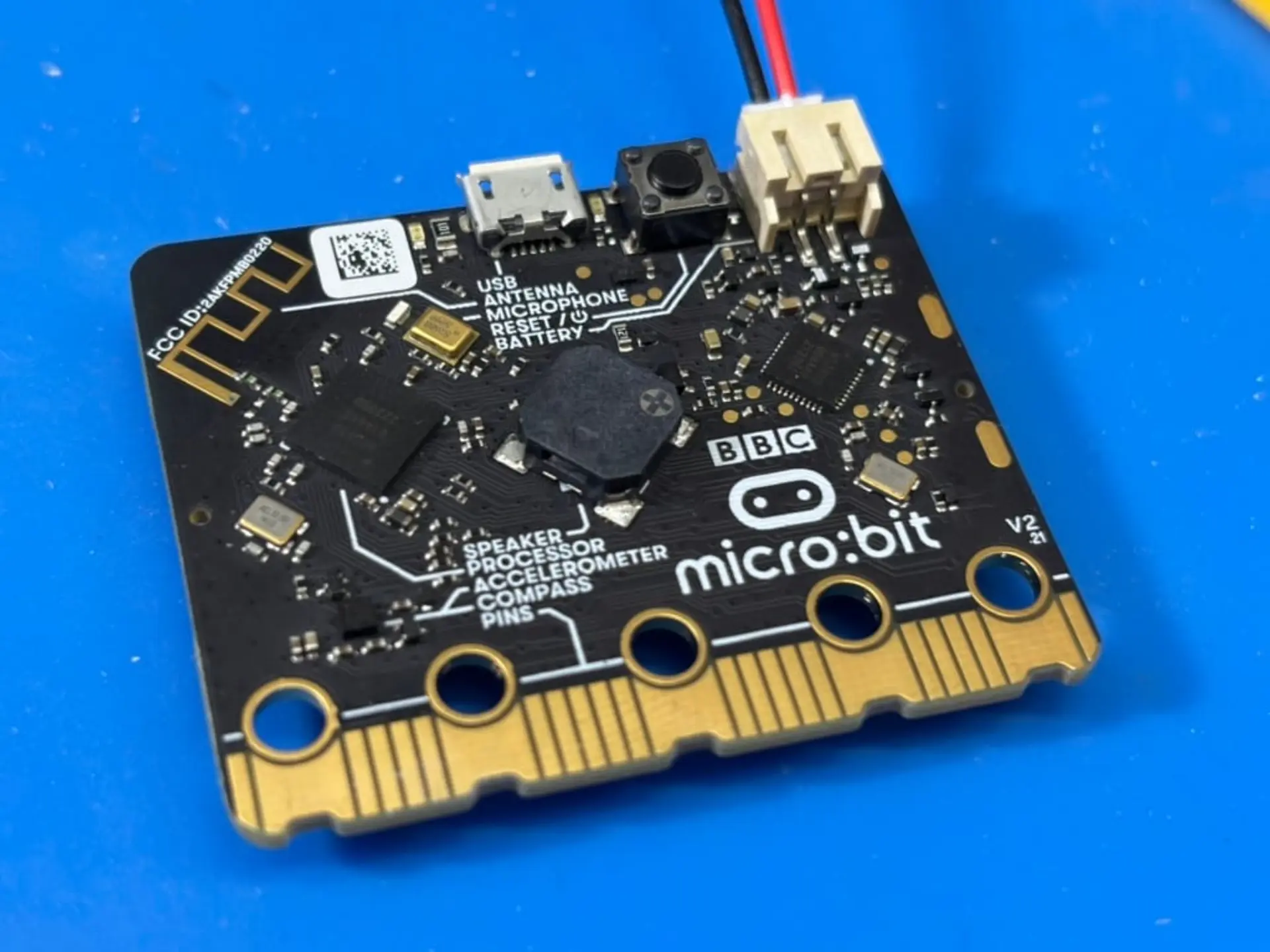
Interactivity is where the Micro:bit v2 truly distinguishes itself. Its compact layout combines several input and output devices to create a complete learning environment on a single board. The two A and B buttons provide reliable digital input for basic interactions, while the touch-sensitive logo introduces capacitive input capable of detecting both press and release events, a feature even the mechanical buttons cannot provide. The 5×5 LED matrix serves as a miniature display for scrolling text, patterns, or sensor readings, simplifying feedback without the complexity of a full screen. Additional onboard sensors include an accelerometer, gyroscope, magnetometer, microphone, and temperature and light sensors, enabling projects that respond to motion, sound, and environmental conditions. Together, these features transform the Micro:bit into a self-contained lab, one where every sensor or light output directly reinforces fundamental programming concepts.
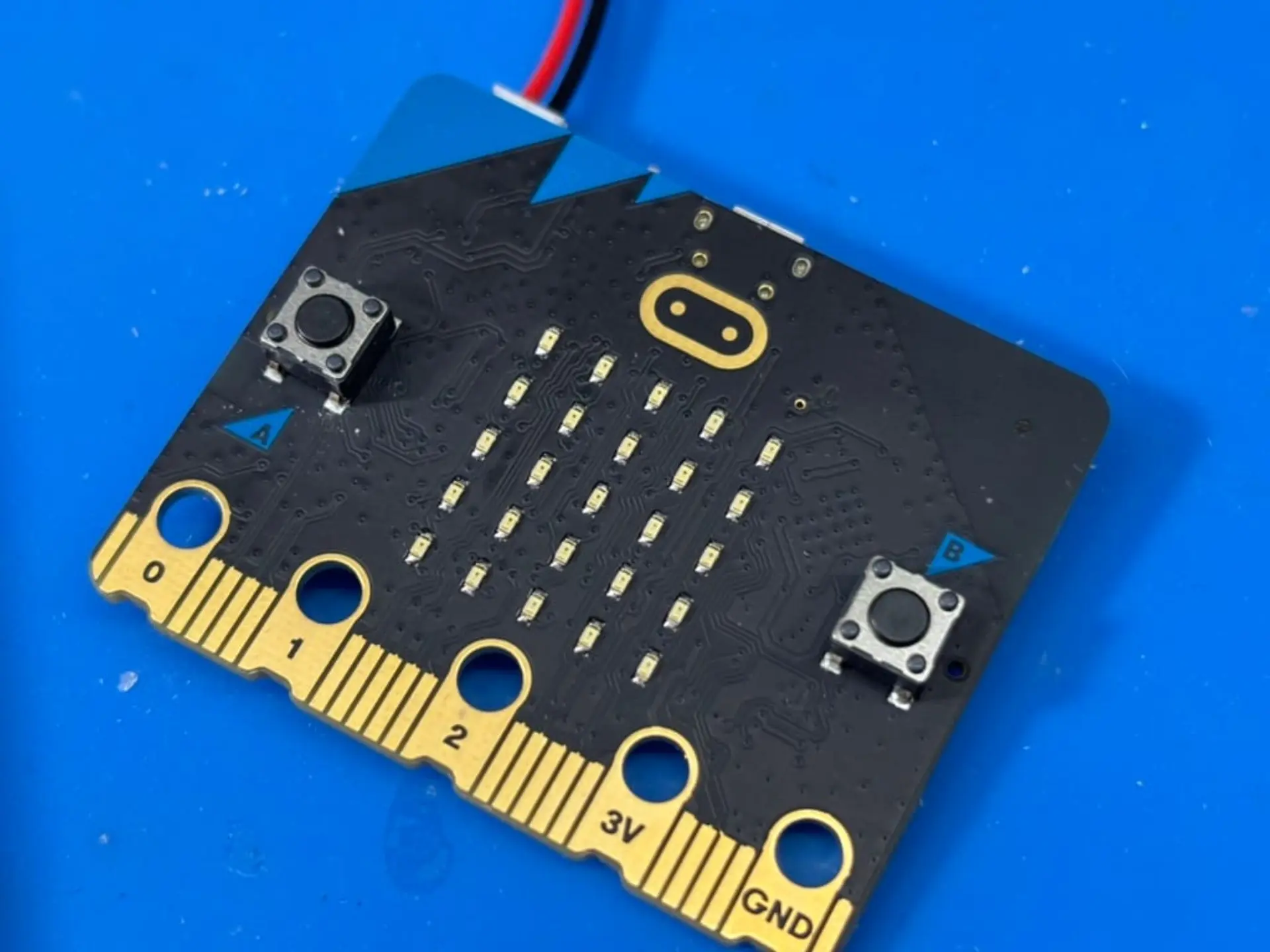
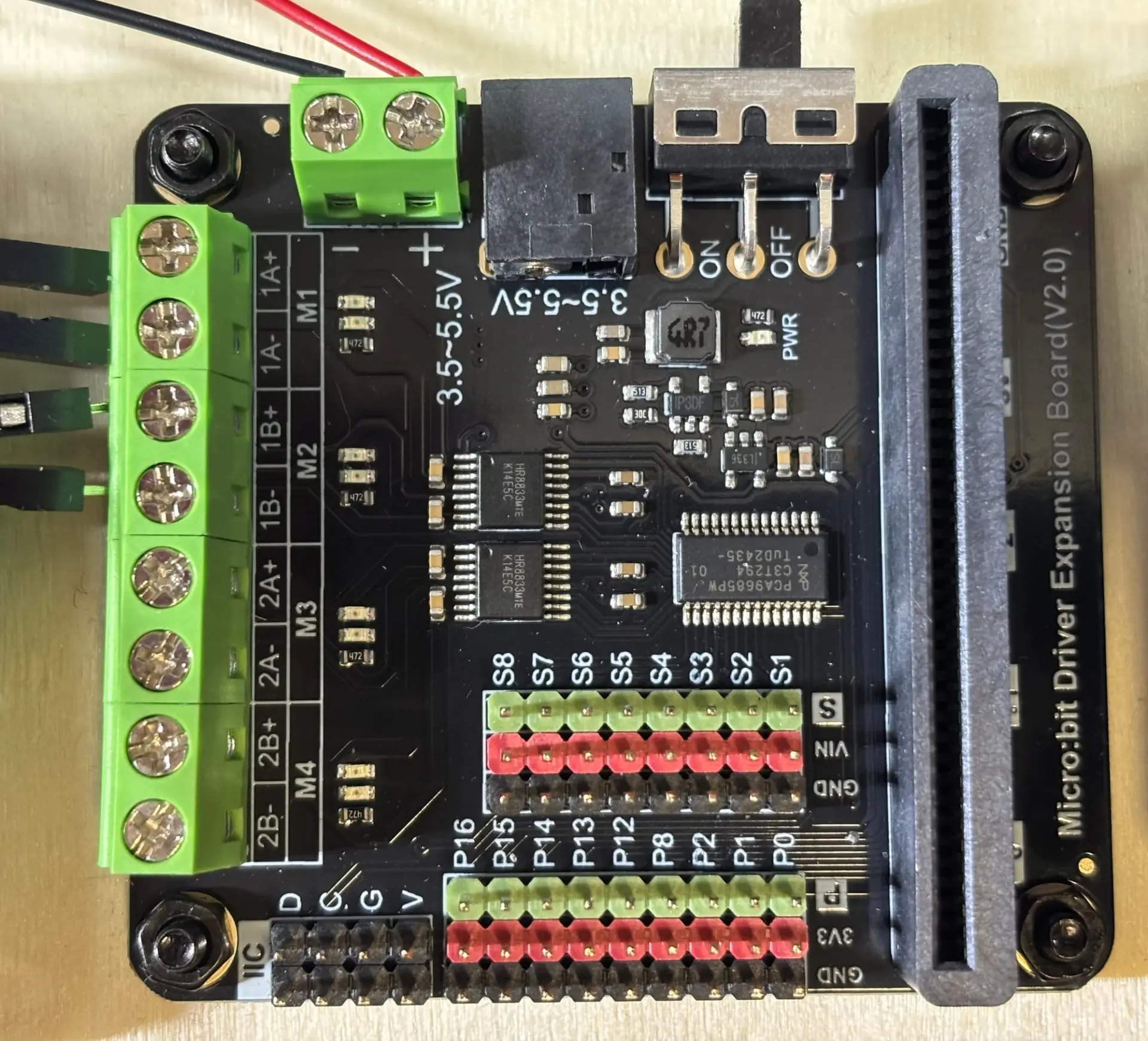
Wireless connectivity is one of the micro:bit’s greatest strengths. The board supports Bluetooth Low Energy (BLE) for communication with tablets, phones, and computers, making it simple to upload code or connect to companion apps. It also includes a dedicated 2.4 GHz radio that allows micro:bits to communicate directly with each other. The radio can operate on multiple channels, which means several groups of students can run wireless projects simultaneously without interference. This feature makes it remarkably easy to build interactive activities such as message exchanges, group games, or shared sensor networks. This simplicity is rare in educational electronics, where wireless projects often require pairing, network configuration, or external modules. The board’s edge connector provides access to 25 GPIO pins, including analog inputs, PWM outputs, and digital interfaces such as I²C, SPI, and UART. These operate at 3.3 volts, making them compatible with most modern sensors and devices. For more demanding projects, expansion modules like the DFRobot Driver Expansion Board allow students to connect motors, servos, and external sensors. This flexibility encourages progression from simple LED animations to full robotics and data-collection systems, all built on the same foundation.
The micro:bit v2’s practical design reflects its educational mission. It can draw power from a USB connection, a JST battery pack, or an external expansion board, switching automatically between sources. Its integrated speaker, microphone, and power management chip simplify setup and reduce the number of external components needed for classroom activities. The gold-plated edge connector improves durability, while the board’s compact footprint and low price make it feasible to equip entire classrooms. Backward compatibility ensures that accessories designed for the original micro:bit remain fully usable, protecting schools’ existing investments. Safety is also a priority, with current-limited outputs and protected circuits that prevent accidental damage. The result is a microcontroller that balances capability, cost, and reliability. Yet, as effective as the hardware is, its full potential is realized through the software tools and curriculum resources that bring coding to life in the classroom.
Micro:bit in the Classroom
The micro:bit is more than a compact circuit board; it is a complete educational platform designed from the ground up for classroom use. Originally launched as part of a BBC initiative that distributed millions of units to students across the United Kingdom, it was created to make computer science accessible, engaging, and tangible. The micro:bit Educational Foundation continues this mission worldwide by offering lesson plans, online simulators, and curriculum-aligned projects that integrate coding into science, technology, and design. Its simplicity allows teachers with limited technical experience to confidently guide programming activities, while students receive immediate visual or physical feedback from their work. Because it is both reliable and self-contained, class time is spent exploring ideas rather than troubleshooting hardware. The Micro:bit encourages experimentation and creativity by showing students that even simple code can interact with the physical world, bridging the gap between abstract logic and hands-on discovery.
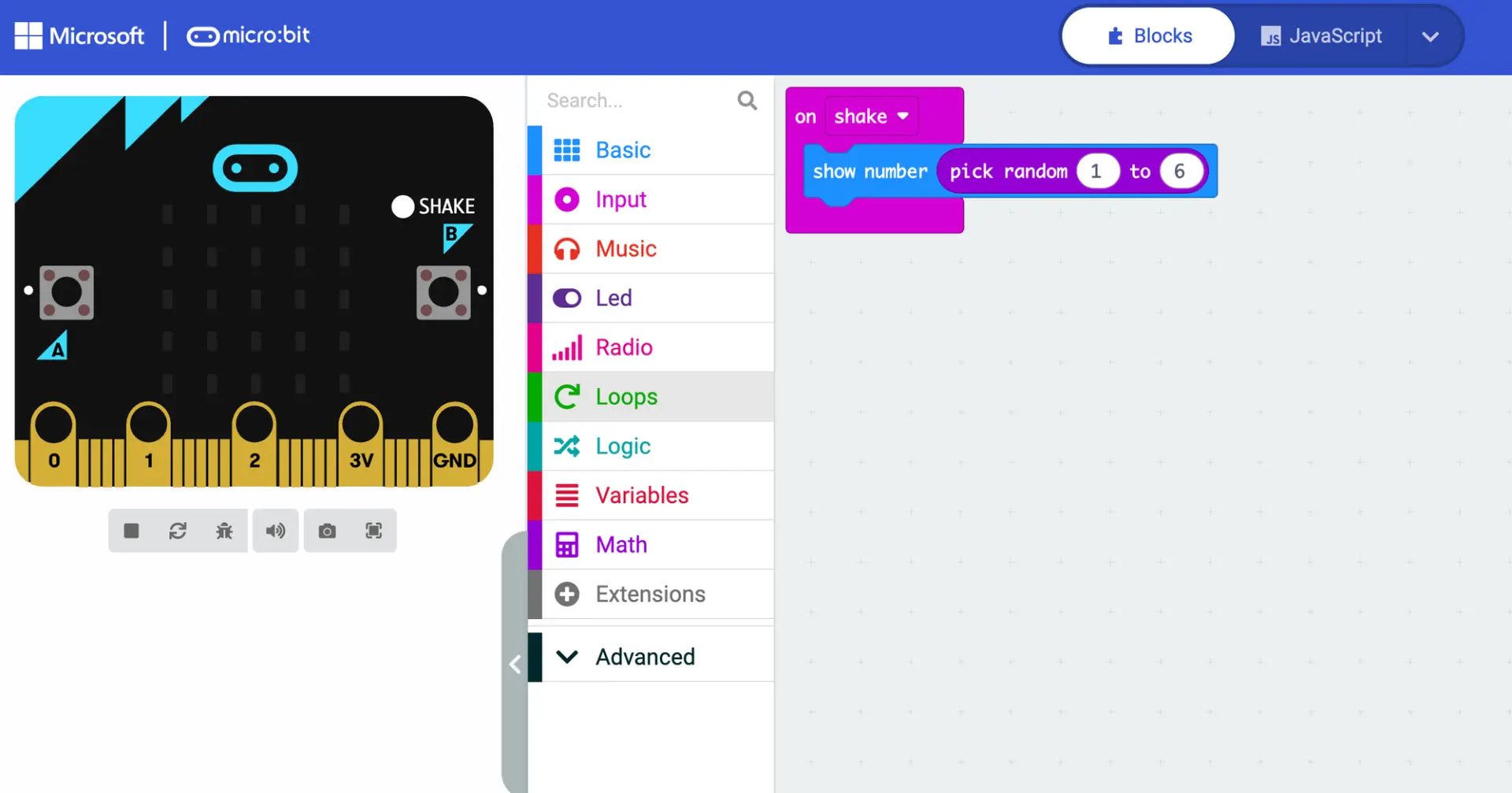
Programming on the Micro:bit begins with Microsoft MakeCode, a visual environment built specifically for education. The interface presents coding as a set of colorful, interlocking blocks that represent logical instructions. Students can drag and connect these blocks to create programs that light LEDs, react to button presses, or measure motion and sound. This block-based design removes syntax barriers, allowing students to focus on structure and cause-and-effect relationships rather than memorizing commands. Each block corresponds to a real function within the Micro:bit’s hardware, giving learners a clear link between the code they assemble and the actions they observe. For teachers, this visual format makes it easy to demonstrate programming concepts step by step. The editor runs entirely in a web browser, supports simulation for practice without hardware, and offers a one-click download to transfer code directly to the board. It also supports the micro:bit’s extensive ecosystem of expansion boards, allowing additional block libraries to be added to the interface when new sensors, motors, or accessories are connected, extending lessons well beyond the base hardware.
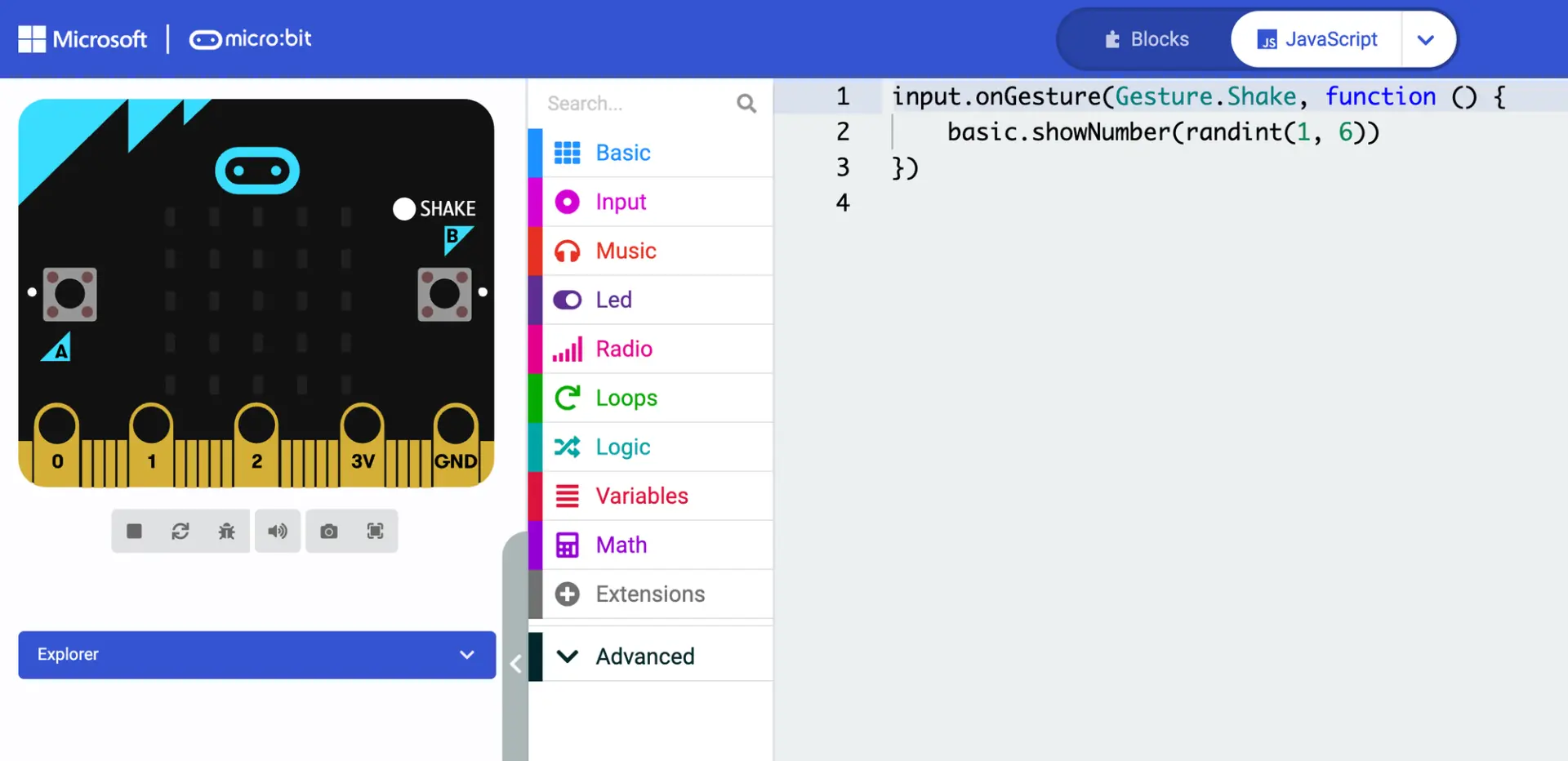
As students grow more confident, the micro:bit platform supports a natural transition from visual to text-based programming. Every MakeCode project can be instantly converted into JavaScript or MicroPython, allowing learners to see how their familiar block structures translate into real code. This feature makes the shift to typed syntax intuitive, helping students understand the underlying logic behind each block they once dragged and dropped. Teachers can use this side-by-side view to demonstrate how functions, variables, and loops appear in professional programming languages. Students can then continue their work entirely in code, running more advanced scripts that use arrays, logic statements, or custom functions. This bridge between visual and text-based coding provides an authentic pathway from beginner-level programming to concepts used in modern software development, all within the same environment and hardware.
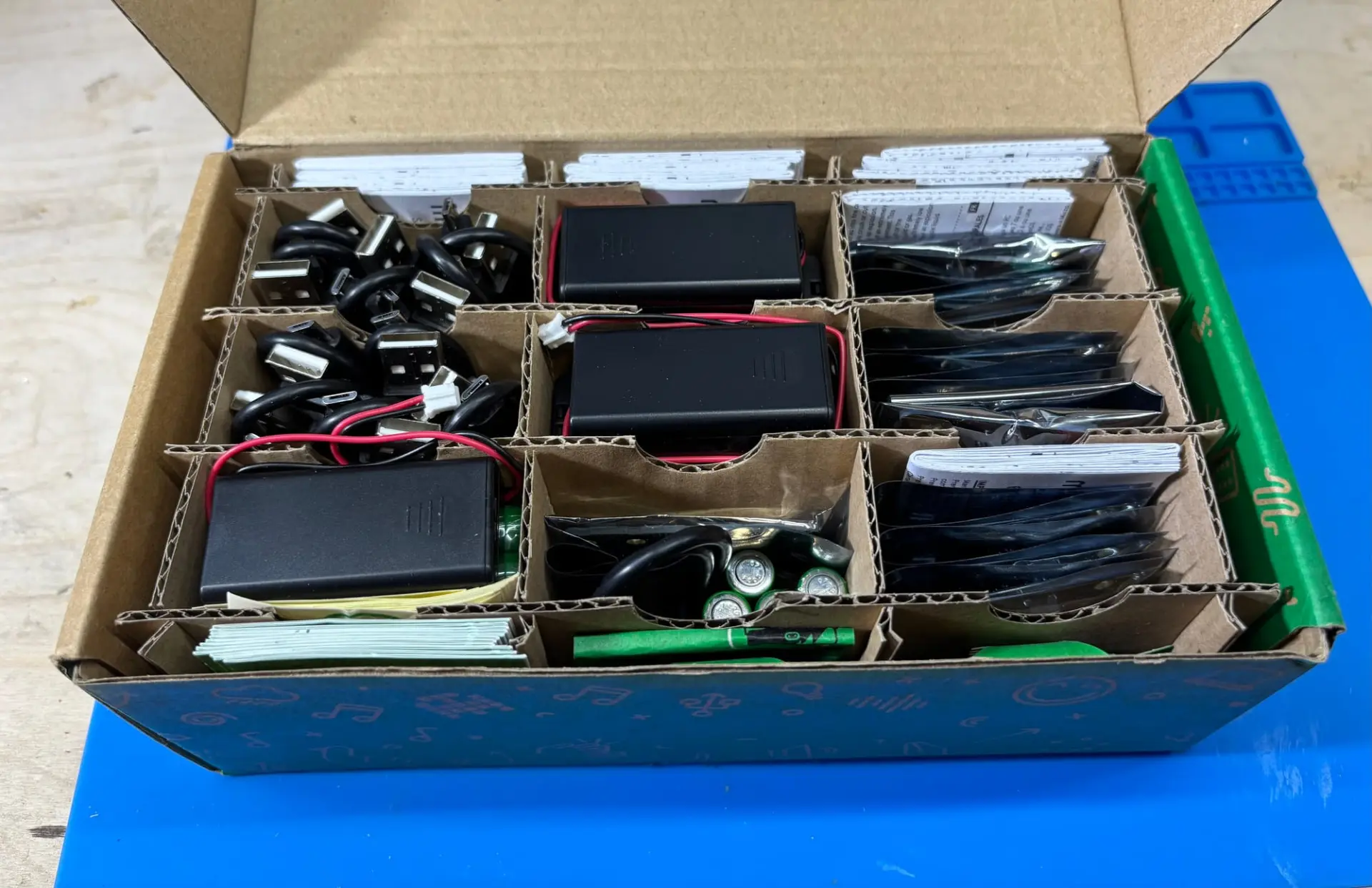
The micro:bit’s design also scales smoothly to classroom use. It can be purchased in packs of ten, complete with USB cables, battery packs, and reference materials, making it easy for schools to equip entire classes at a manageable cost. The ecosystem of expansion boards further extends the learning potential, allowing teachers to introduce topics such as robotics, environmental sensing, or data collection without replacing existing equipment. Because the hardware is durable and the software browser-based, maintenance is minimal. Nearly a decade after its launch, the micro:bit continues to thrive in classrooms because it achieves a rare balance of simplicity, capability, and openness. It remains one of the few educational tools that not only teaches coding but also shows, in real time, how software can shape the physical world.
Have you tried the micro:bit in your classroom or experimented with one at home? What project helped you or your students see code come to life? Share your experiences in the comments below. If you enjoyed this exploration of educational hardware, you might also like our article on the Fisher-Price Code-a-Pillar, another device that teaches programming concepts through tangible interaction.


