Can a Toy Teach Coding? A Look at the Code-a-Pillar
Fisher-Price’s Code-a-pillar introduced coding to preschoolers through play. Explore its design, what worked, what didn’t, and why it remains a memorable STEM toy.

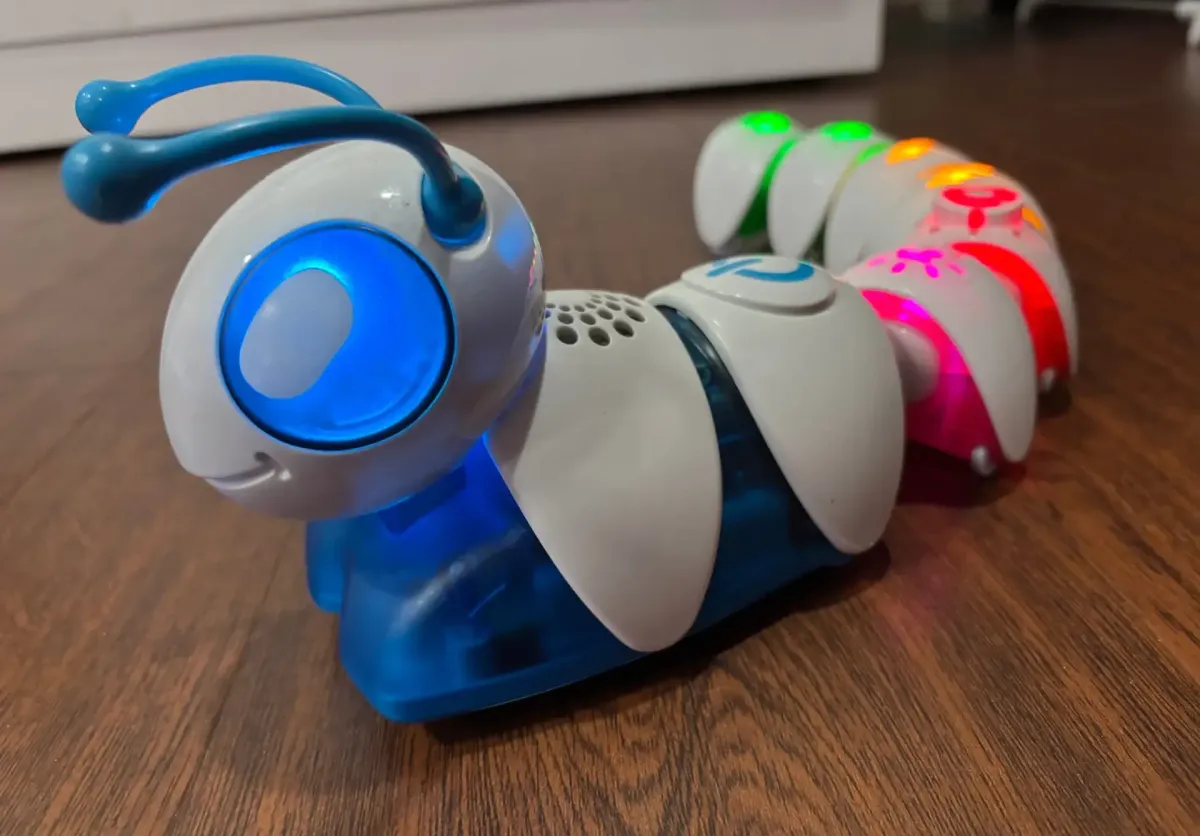
What if a child’s first coding lesson came from a toy instead of a computer? In 2016, Fisher-Price tried exactly that with the Code-a-pillar, a caterpillar-shaped robot that promised to teach preschoolers the basics of sequencing through play. Bright colors, snapping modules, lights, and sound effects made it feel more like a game than a lesson, but underneath was an ambitious attempt to bring programming concepts to children as young as three.
This article explores the Code-a-pillar from three perspectives: how it was designed, what a teardown reveals about its inner workings, and what it can teach us about the challenges of introducing programming to young children.
What is the Code-a-pillar?
Fisher-Price launched the Code-a-pillar as part of its Think & Learn line, aiming to introduce coding to preschoolers through tangible play. At its core, the toy is a caterpillar made of snap-together segments, each representing a command such as move forward, turn left, turn right, make a sound, or even repeat a loop. Children build sequences by arranging the segments, and the toy executes the instructions in order.
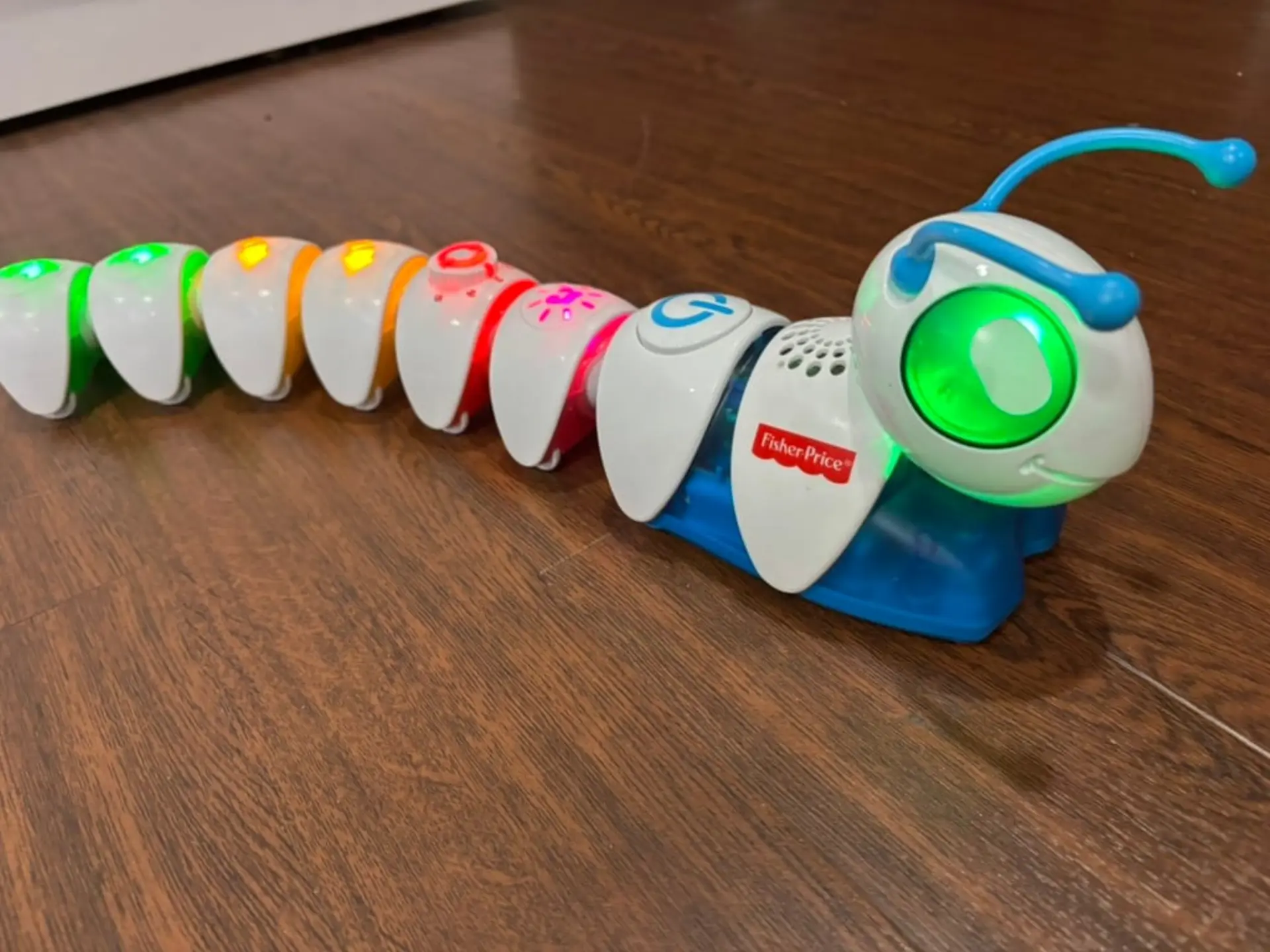
This design emphasizes physical interaction. Brightly colored pieces encourage experimentation, while the caterpillar’s animated movements provide immediate feedback. Underneath the playful exterior is a clever connectivity system, with the head unit detecting the sequence of modules and sending commands to execute them.
The head is the true driver of the Code-a-pillar. It houses the motors that propel the toy forward, while the connected body segments are passive. Each module simply tells the head what action to perform, then follows along as the caterpillar moves. Notably, the head has no environmental sensors—no way to detect obstacles or adjust based on surroundings—so behavior is entirely dictated by the programmed sequence.
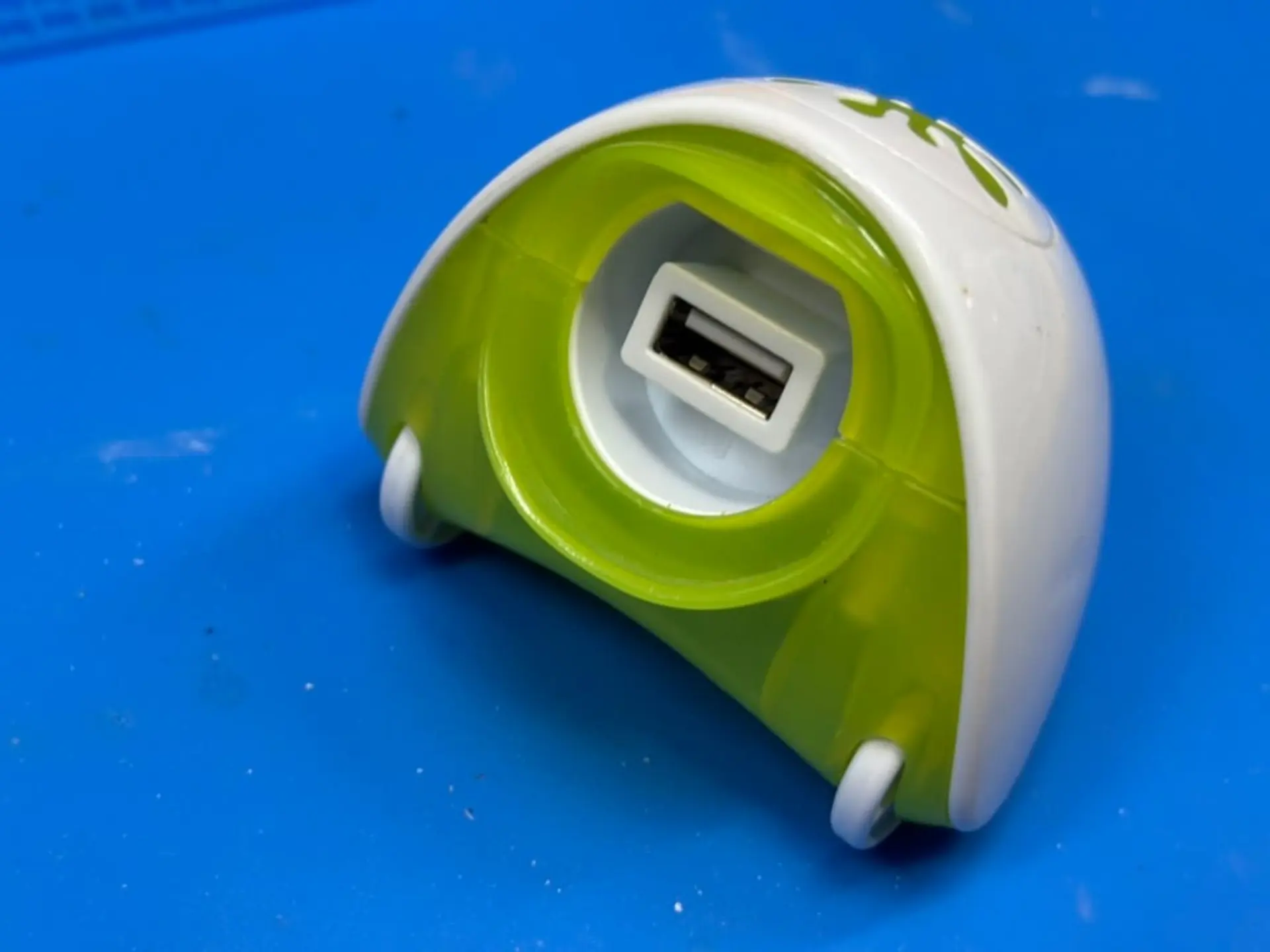
The physical connectors between segments are standard USB-A plugs and sockets. Despite the familiar shape, the system does not use the USB protocol. Instead, Fisher-Price adopted the connector as a cost-effective choice, benefiting from a widely available part that is durable enough for young children. Hobbyists have since reverse-engineered the communication protocol, confirming that each segment identifies itself to the head with a simple electronic handshake.
The Anatomy of the Code-a-pillar
Opening the Code-a-pillar is refreshingly straightforward at first. Unlike many toys that rely on tamper-resistant fasteners, Fisher-Price used standard Phillips screws throughout. This makes the toy accessible to curious hobbyists or parents with the proper setup and willing to explore its internals. However, the ease ends there. Once inside, the design becomes tightly packed, with short wire runs that make disassembly difficult without cutting connections. The head unit, in particular, is reinforced with plastic that is difficult to pry open without risking damage.
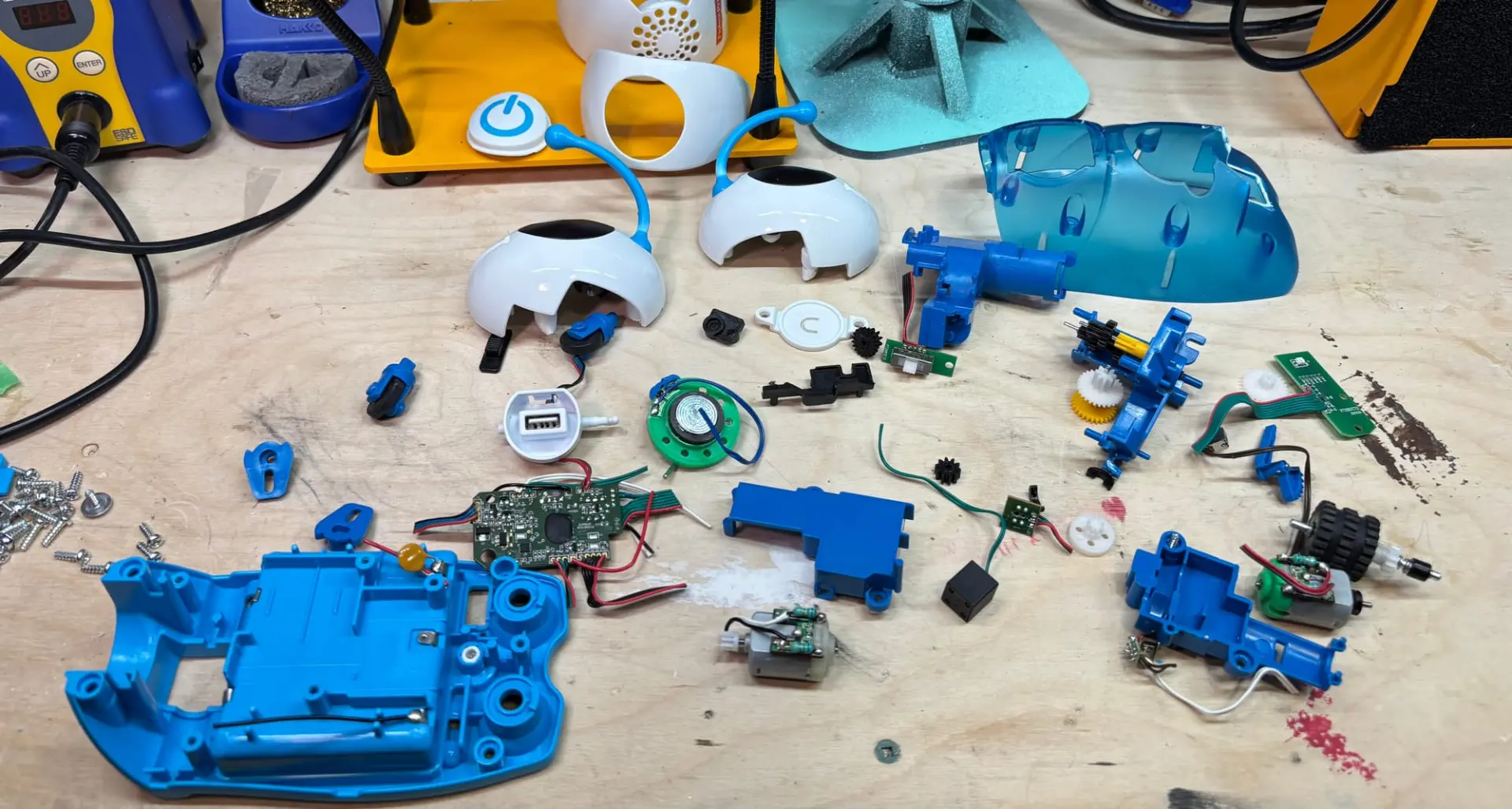
Inside the head lies the functional heart of the toy. Two brushed DC motors work together to bring the Code-a-pillar to life. One drives the rear wheels, pushing the toy forward. The other shifts the orientation of the front wheels, allowing for left and right turns. These motors are simple, each fitted with resistors soldered across their terminals to reduce electromagnetic noise. There are no encoders or feedback systems: the toy moves by running the motors for fixed intervals of time.
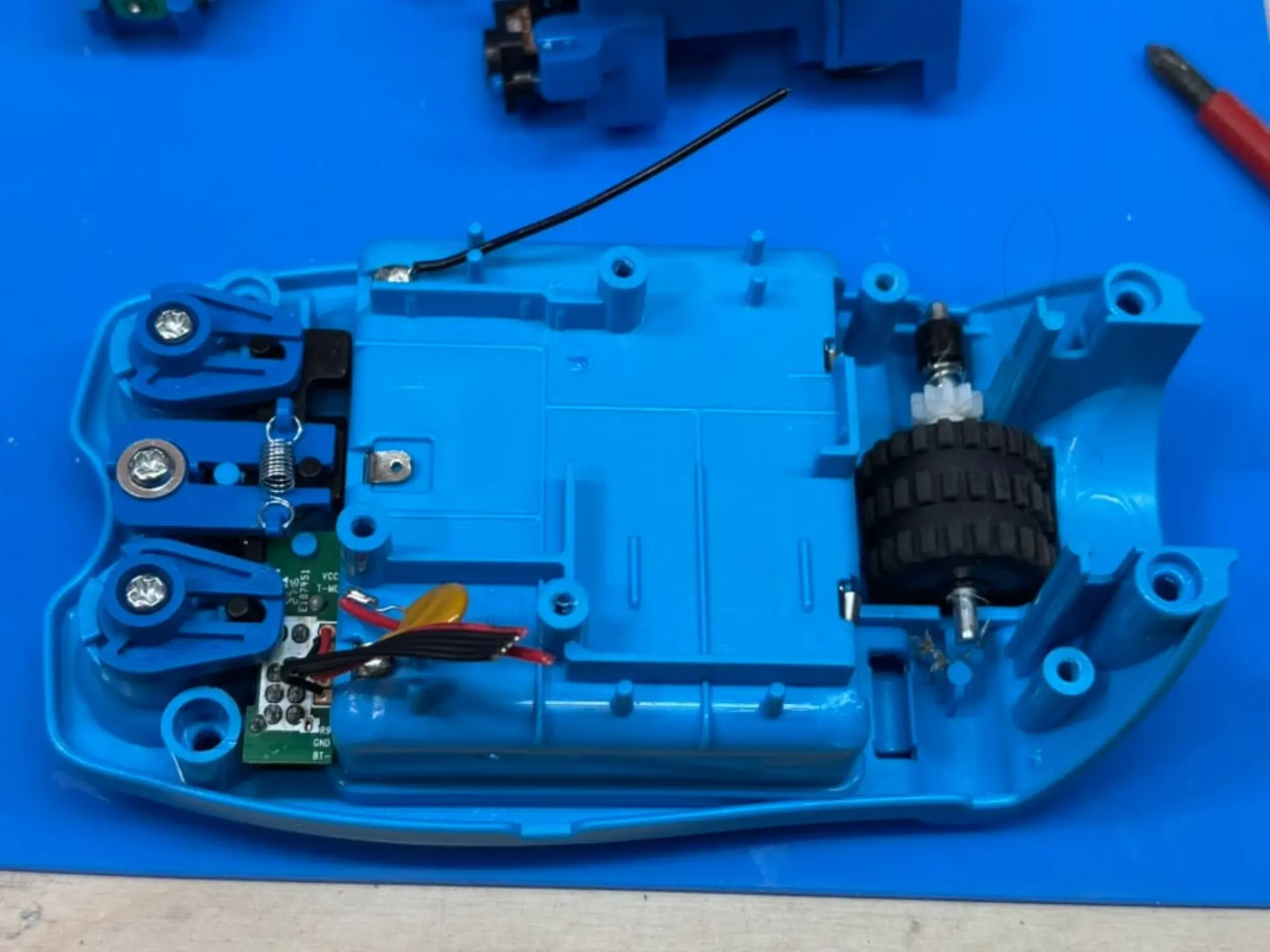
Electronics are consolidated onto a single, double-sided PCB. The main controller is a microcontroller hidden under a protective epoxy blob, a cost-saving technique common in toys. A large button pad in the center serves as the start switch, letting children trigger their programmed sequence.
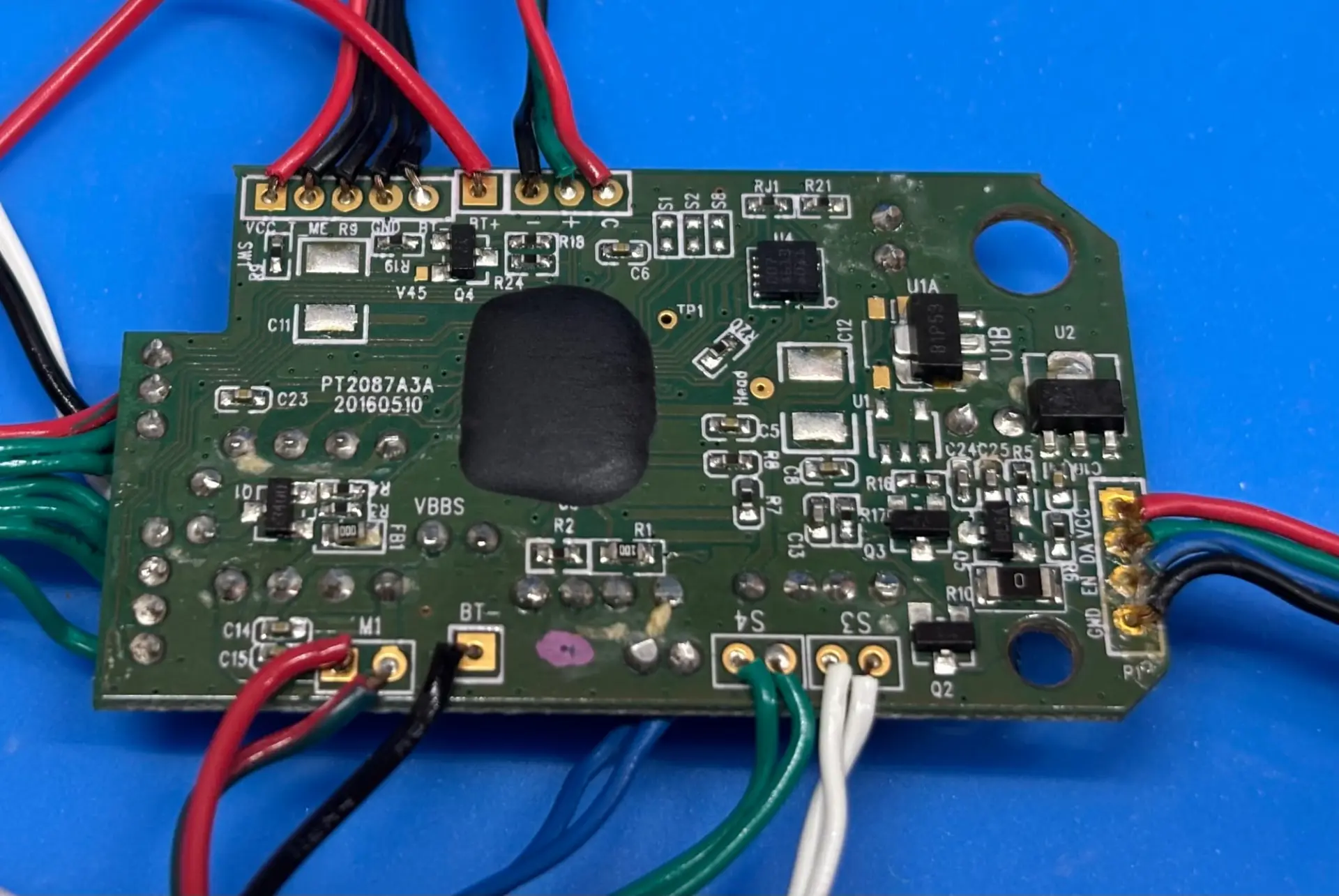
The audio system is surprisingly sophisticated for a children’s toy. One side of the board carries a dual op-amp chip that amplifies sound. Instead of relying on a single driver, Fisher-Price combined two output devices: a traditional cone-style speaker for melodies and richer effects, and a piezoelectric buzzer for sharp tones and beeps. Together they give the Code-a-pillar a broader range of sounds, making it more engaging while keeping component costs modest.
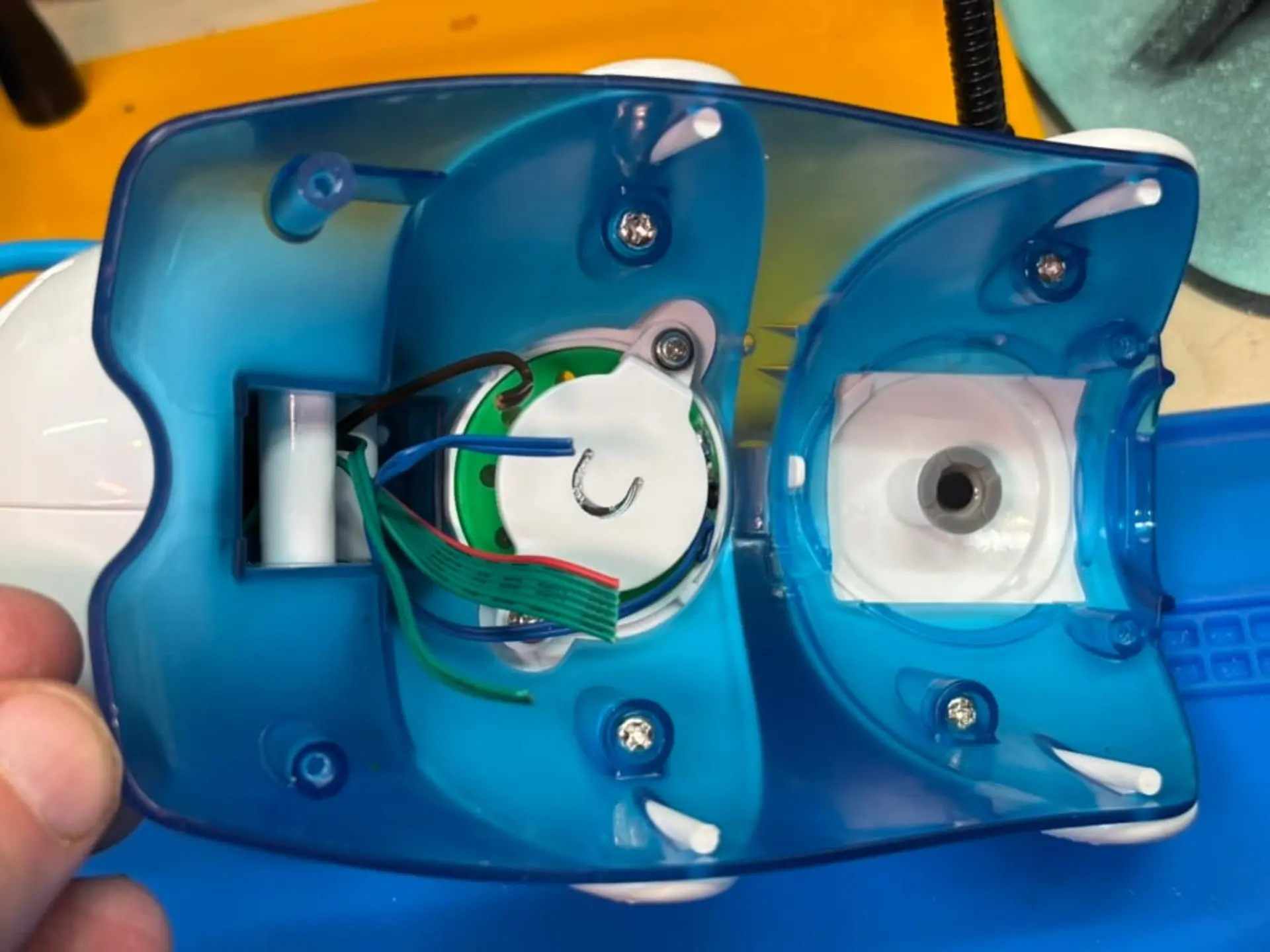
Sensory feedback extends beyond sound. RGB LEDs in the caterpillar’s eyes animate while it runs, providing colorful visual cues. A push switch in the head detects when a child presses down, triggering additional responses. Combined with motion and sound, these features create a multi-sensory experience designed to hold attention.
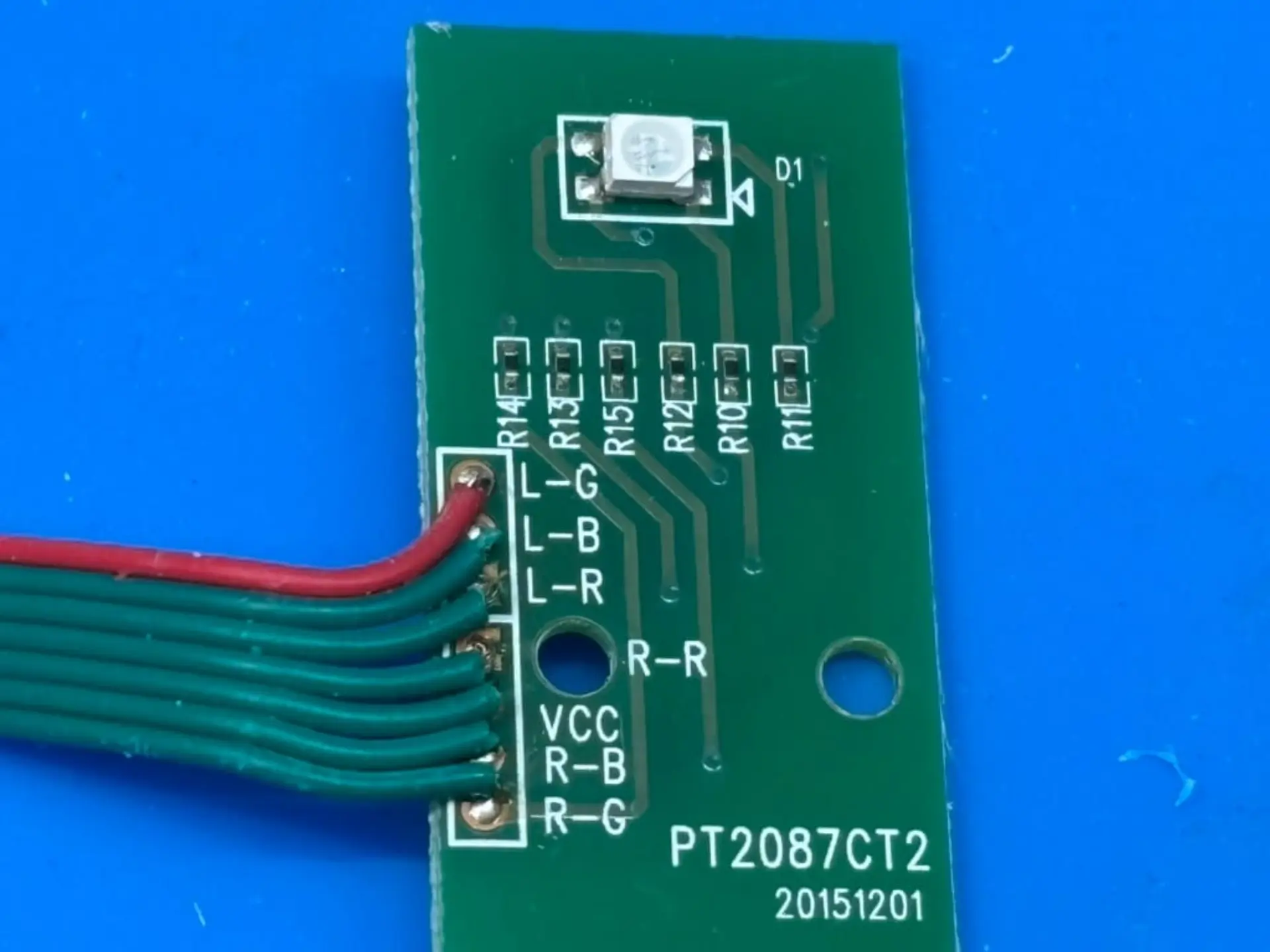
Each body module is built on a simple circuit board. On top is a small LED that lights up when the module is active, giving children visual confirmation that their chosen command is running. On either end are standard USB connectors soldered directly to the board, allowing the modules to snap together in sequence. Despite their chunky plastic shells, the electronics inside are minimal: just enough to identify the type of command and pass that information to the head. This design keeps costs low while ensuring durability, since the connectors can withstand the repeated plugging and unplugging of small hands.
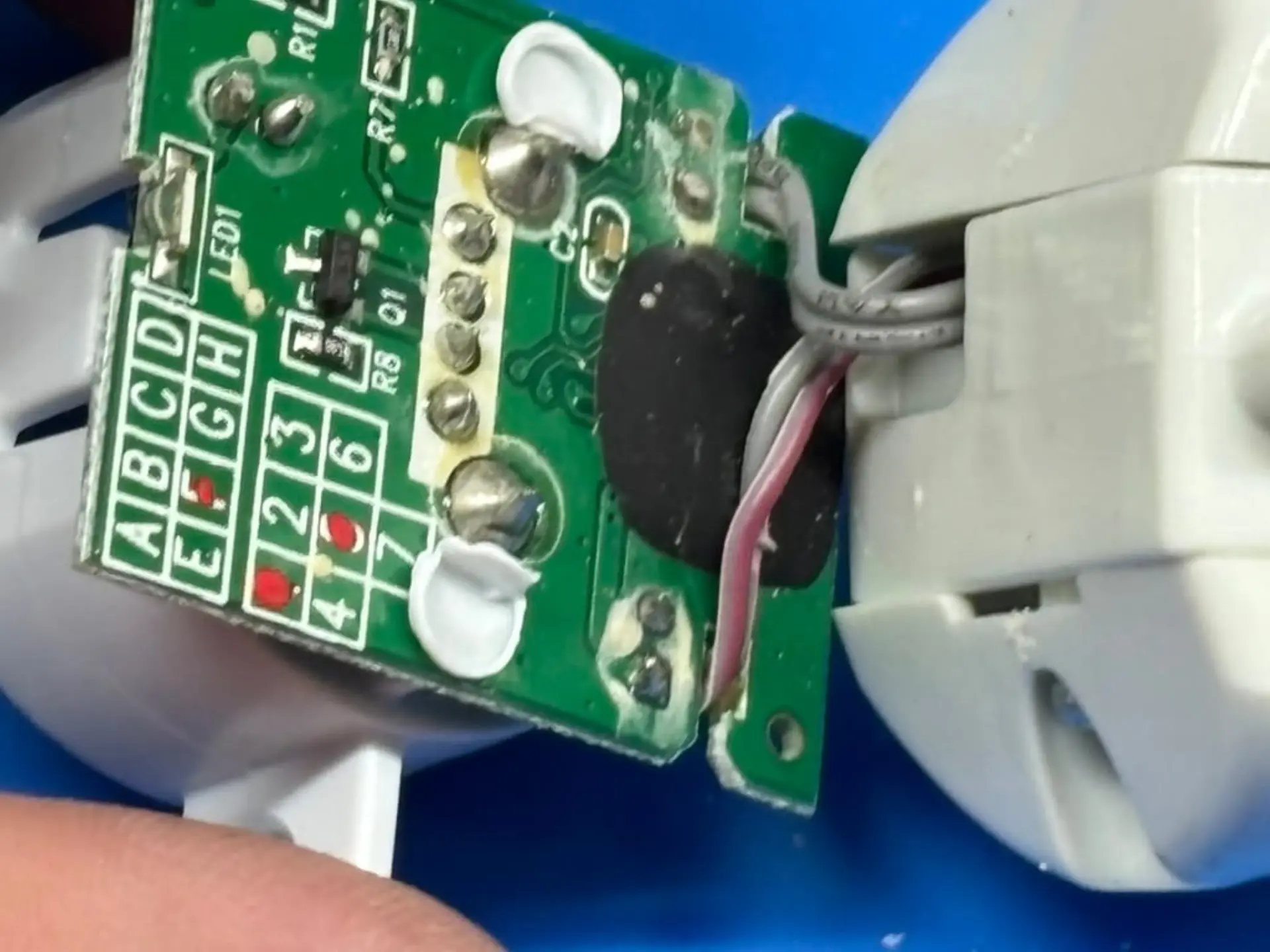
The teardown highlights the balance Fisher-Price struck between cost, durability, and educational value. Every design choice reflects the needs of a children’s toy: robust enough to survive rough play, simple enough to manufacture affordably, and engaging enough to introduce abstract concepts through physical interaction.
Reflections on Teaching Code to Kids
The Code-a-pillar succeeds in making abstract concepts tangible. By snapping together modules, children learn sequencing in its simplest form: the order of instructions determines the outcome. When the toy does not behave as expected, young programmers are encouraged to adjust the sequence and try again, an early form of debugging. Cause and effect are reinforced with each press of the start button, turning trial and error into a learning tool.
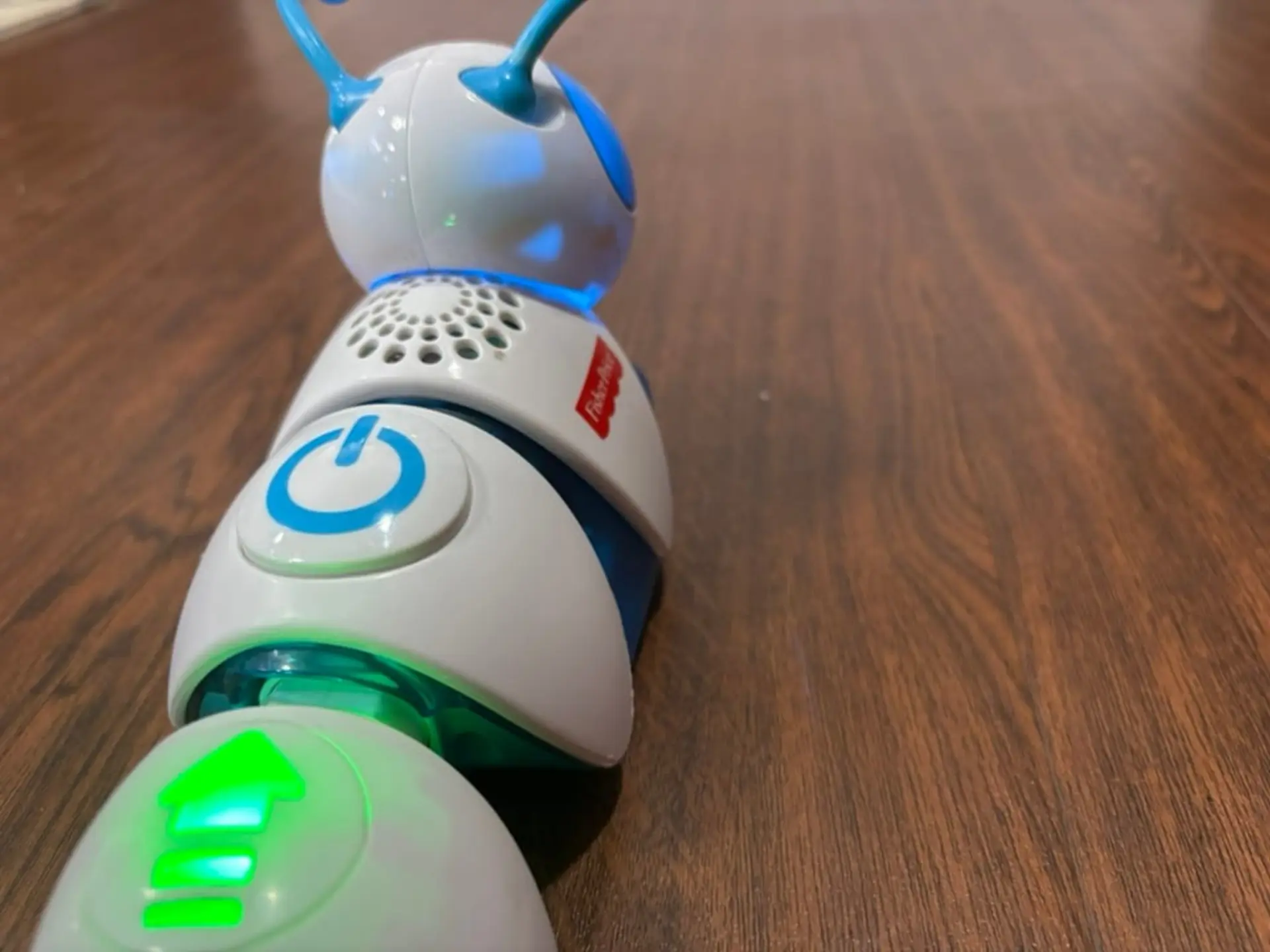
Where the toy shows its rough edges is in day-to-day use. The Code-a-pillar is quite loud, with sound effects that can quickly wear on parents after extended play sessions. Online communities even shared modifications for adding resistors to the speaker circuit to reduce the volume. Another issue is the scale of its movement. Each step forward or turn covers a significant distance, which makes it difficult to fine-tune where the caterpillar will end up. To give it enough room to execute a full sequence, families needed a clear surface of roughly 10 by 10 feet (about 3 by 3 meters), far larger than the average living room play space.
Fisher-Price targeted the Code-a-pillar at children between 3 and 6 years old, encouraging them to guide the caterpillar from a starting point to an end point. In practice, this created challenges. Younger children often struggled to understand the relationship between the order of the modules and how the caterpillar moved. At the other end of the age range, many older children found the toy too simplistic and quickly moved on.
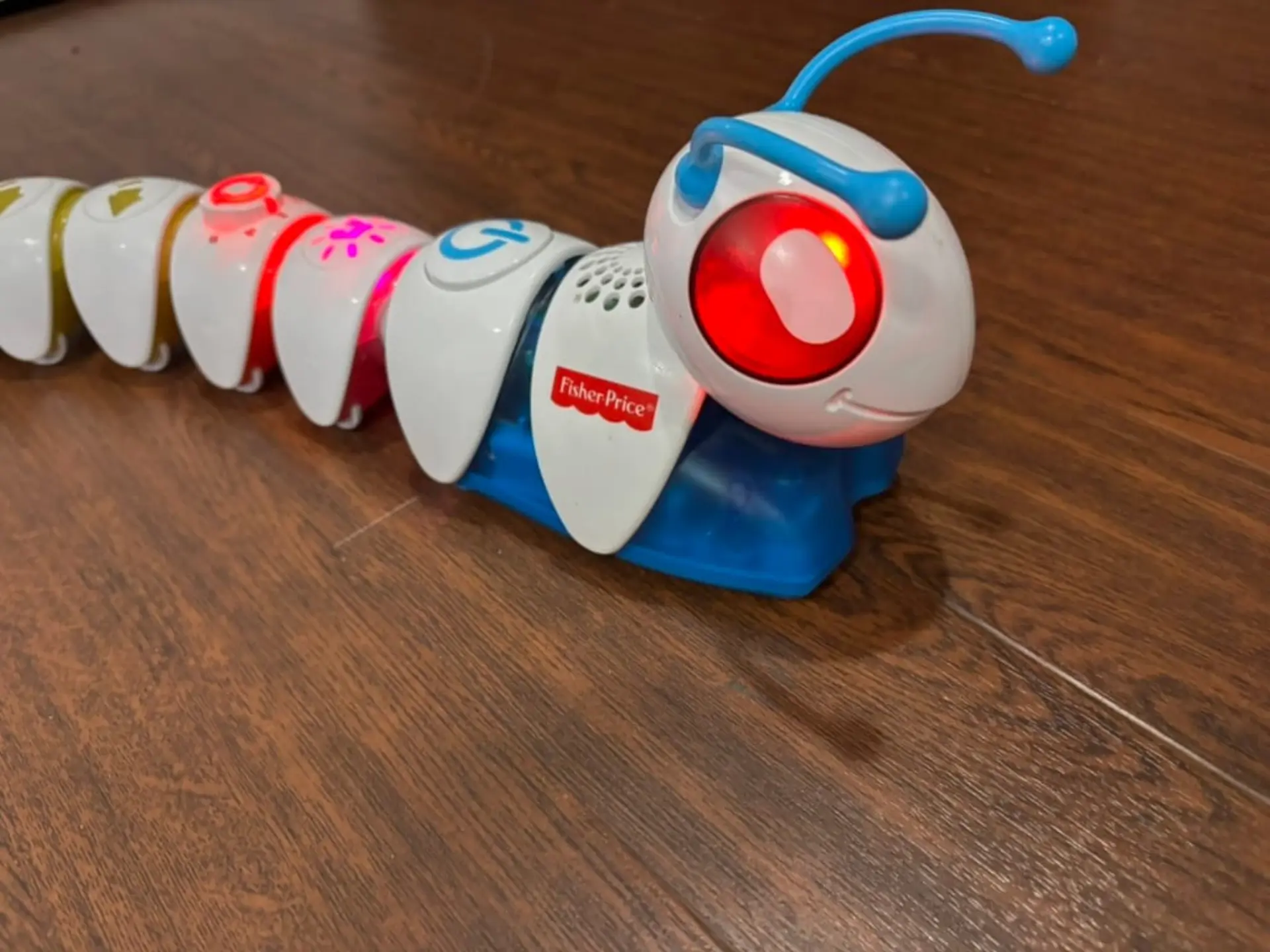
This does not make the Code-a-pillar a failure. It is undeniably fun, colorful, and engaging. But its ability to truly teach programming concepts is limited. In many ways, children are better served by starting with screen-based tools like ScratchJr once they reach the right age. Making programming tangible is an admirable goal, but in this case, the physical form factor did not provide enough of an advantage to outweigh its shortcomings.
A Worthy Try
The attempt, however, deserves recognition. Fisher-Price was early in trying to bring coding concepts into toys for preschoolers, and the Code-a-pillar remains a memorable experiment. In hindsight, its struggles are easy to explain. The toy was too loud for many households, demanded more storage than expected, and offered limited educational depth. Most importantly, it was caught between two age groups: too abstract for younger children and too simplistic for older ones. These factors explain why it eventually disappeared from store shelves, even as the idea behind it continues to influence how we think about introducing coding to kids.
Was your first encounter with coding through a computer, or did you start with toys like this? Share your story in the comments below. If you enjoyed this teardown, you might also be interested in our look at the CrunchLabs' IR Turret.


