Flipper Zero : Tool or Menace?
Discover the Flipper Zero, a versatile hacking tool that combines RFID, NFC, and Sub-GHz capabilities in a compact design. Unleash its potential today!

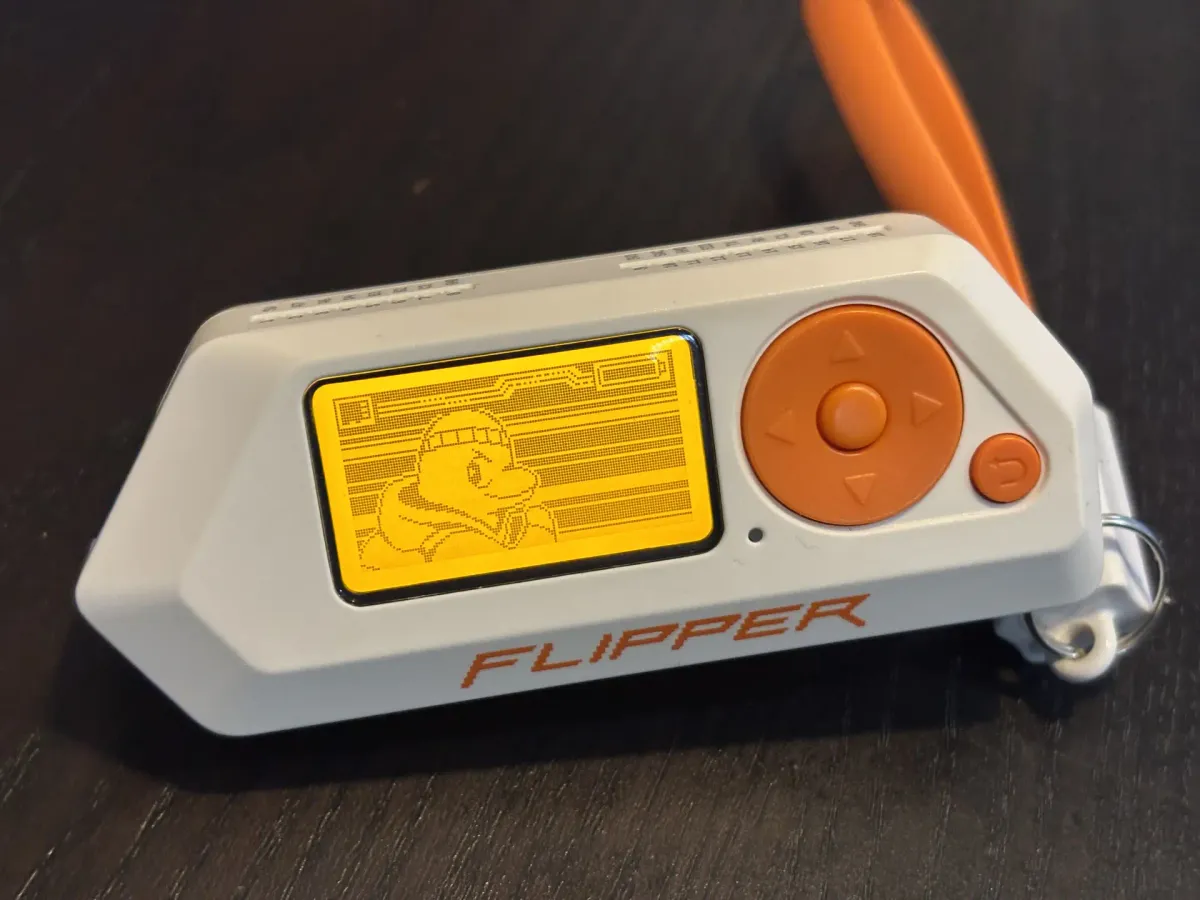
Computer security is usually discussed in terms of software systems. Servers, networks, operating systems, and Wi-Fi dominate most conversations because they are accessible with little more than a laptop. These are familiar environments, well documented and heavily instrumented. Yet many real-world systems operate outside that comfort zone. Door access badges, garage remotes, alarm sensors, and consumer electronics rely on radio signals, infrared light, or physical interfaces that rarely appear in traditional security tooling.
The Flipper Zero sits at the boundary between these worlds. At first glance, the beige and orange, it might appear like a playful, Tamagotchi-style toy. However, beneath its unassuming exterior lies a powerful toolkit of hacking utilities. Equipped with everything from a Sub-GHz radio to an NFC reader, RFID tool, and IR blaster, the Flipper Zero sparked quite the commotion when it first hit the market in 2022. With its simple, accessible interface, this device has made testing digital security systems significantly more approachable. It has even garnered substantial media attention, and Amazon eventually banned its sale.
This article reframes the Flipper Zero as an educational tool, using it to examine different attack vectors, providing a better understanding on how to secure these systems.
Non Traditional Attack Vectors
Security discussions often assume a computer, a mobile device, or an IP network. That assumption quietly excludes a large class of systems that do not speak TCP/IP, do not authenticate users in familiar ways, and were never designed to operate in hostile environments. These systems are common in everyday life, but they tend to fall outside traditional security tooling and mental models.
Many of these attack surfaces exist at the boundaries between the physical world and digital control. They rely on radio waves, light, or direct interfaces rather than network stacks, and their security properties are shaped as much by physics as by software design.
The Radio Spectrum
Large portions of the radio spectrum are allocated to short-range, low-power communication, but these systems are far from uniform. In practice, they span several distinct frequency ranges, each with different physical properties and design constraints. Low-frequency (LF) systems, typically around 125 kHz, are commonly used for simple proximity identifiers such as access fobs. High-frequency (HF) systems, centered at 13.56 MHz, support more structured exchanges and underpin technologies such as RFID and its constrained subset, NFC. At higher frequencies, ultra-high-frequency (UHF) radios extend range and bandwidth, enabling applications like long-range identification and sensor telemetry.
Across these bands, design priorities vary significantly. Many systems favor reliability, low cost, and power efficiency over confidentiality, particularly in legacy or control-oriented protocols that rely on static identifiers or simple exchanges. Others, especially at high frequency, support more complex communication models. Technologies such as RFID and NFC introduce structured dialogues, protocol state, and in some cases strong cryptographic authentication, reflecting their use in adversarial environments like payments and access control.
From a security perspective, this diversity leads to very different failure modes. Some systems are vulnerable to straightforward replay or emulation. Others resist these techniques entirely and require protocol-level analysis.
The Light Spectrum
Infrared communication sits outside the radio spectrum and operates under very different physical constraints. It requires line of sight, works over short distances, and is easily blocked by walls or objects. These limits make it well suited for room-scale interactions, which is why infrared remains common in consumer devices such as televisions, audio systems, and air conditioners.
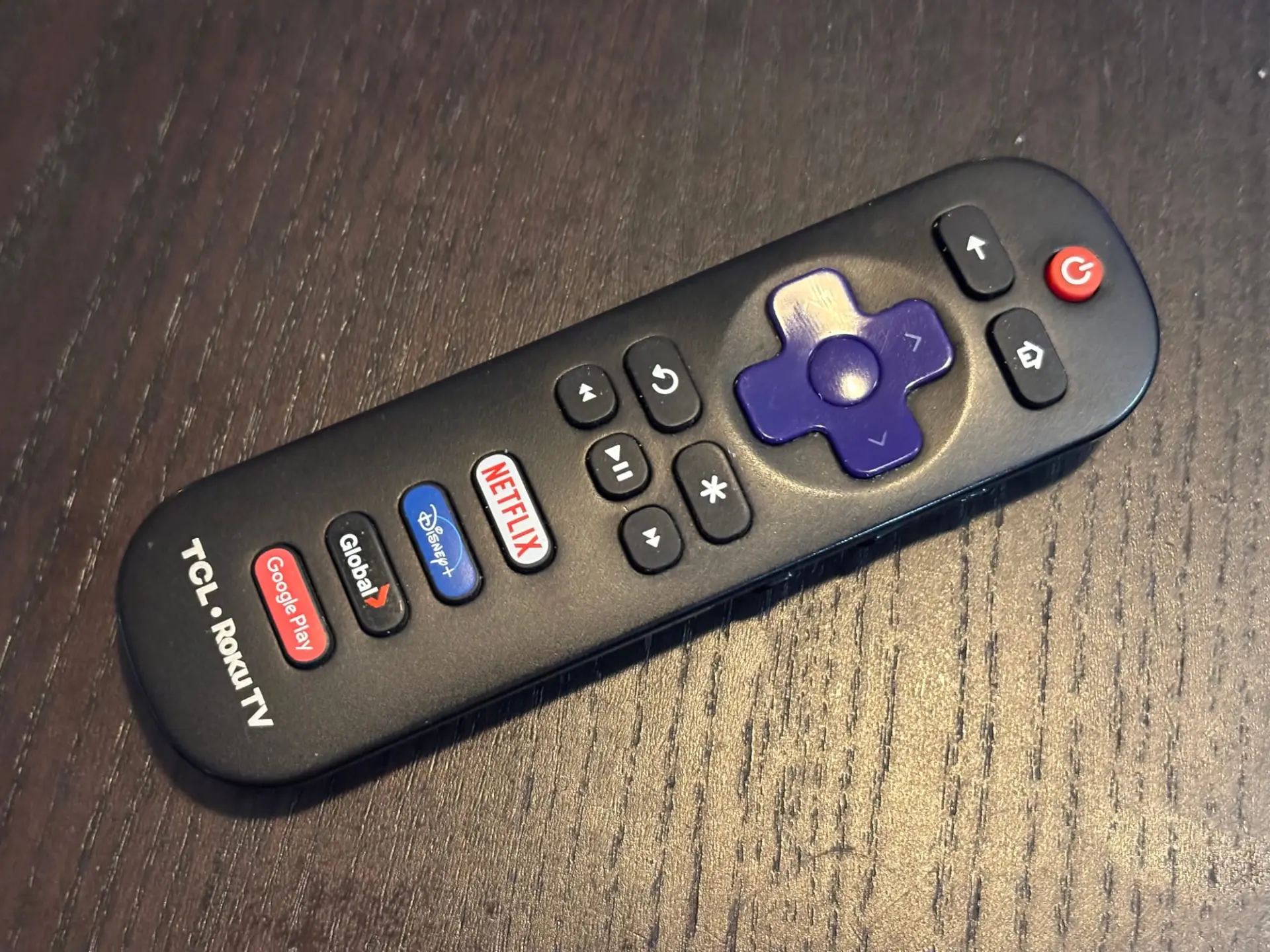
Rather than relying on complex protocols, infrared systems depend on physical presence. Most infrared protocols are simple, stateless, and do not authenticate the sender. The assumption is that anyone who can transmit a signal is already nearby and intended to do so. Signals are easy to capture and replay, but the impact is usually limited to basic control. In this case, simplicity is a deliberate design choice that keeps infrared systems cheap, predictable, and easy to deploy.
USB interfaces
USB is another often overlooked attack surface. Many systems implicitly trust USB devices and make assumptions about their behavior based on how they identify themselves. Keyboards, storage devices, and other peripherals are typically accepted without verification, because USB was designed for convenience rather than hostile environments.
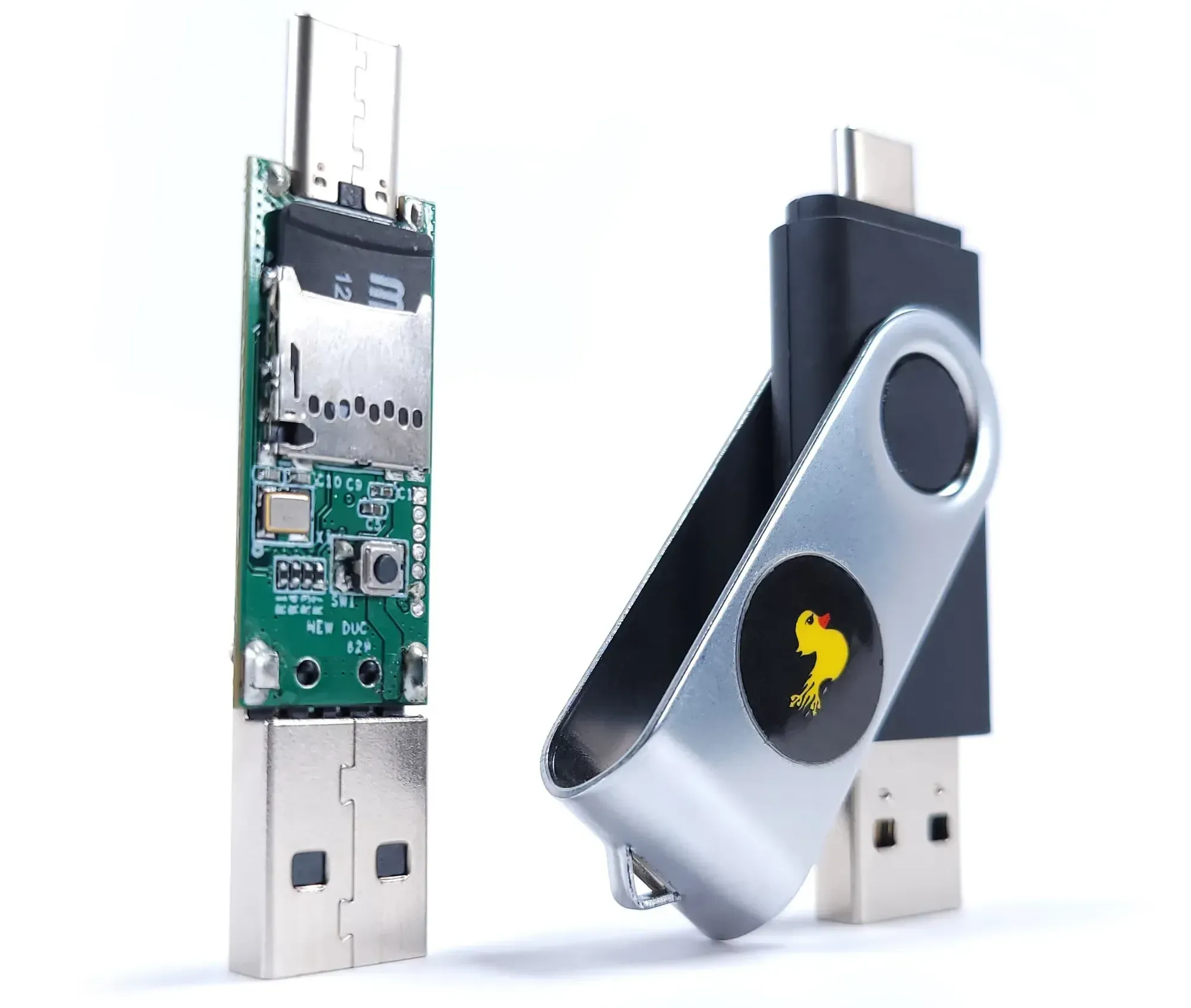
Attacks in this space focus on device impersonation and abuse of that trust. A USB device can present itself as a keyboard and inject input, or identify as a storage device to deliver malicious files or extract data. Some devices can switch roles dynamically, changing how they appear to the host system over time. Evaluating these behaviors often requires hardware capable of emulating multiple USB device types and observing how operating systems respond.
What is a Flipper Zero?
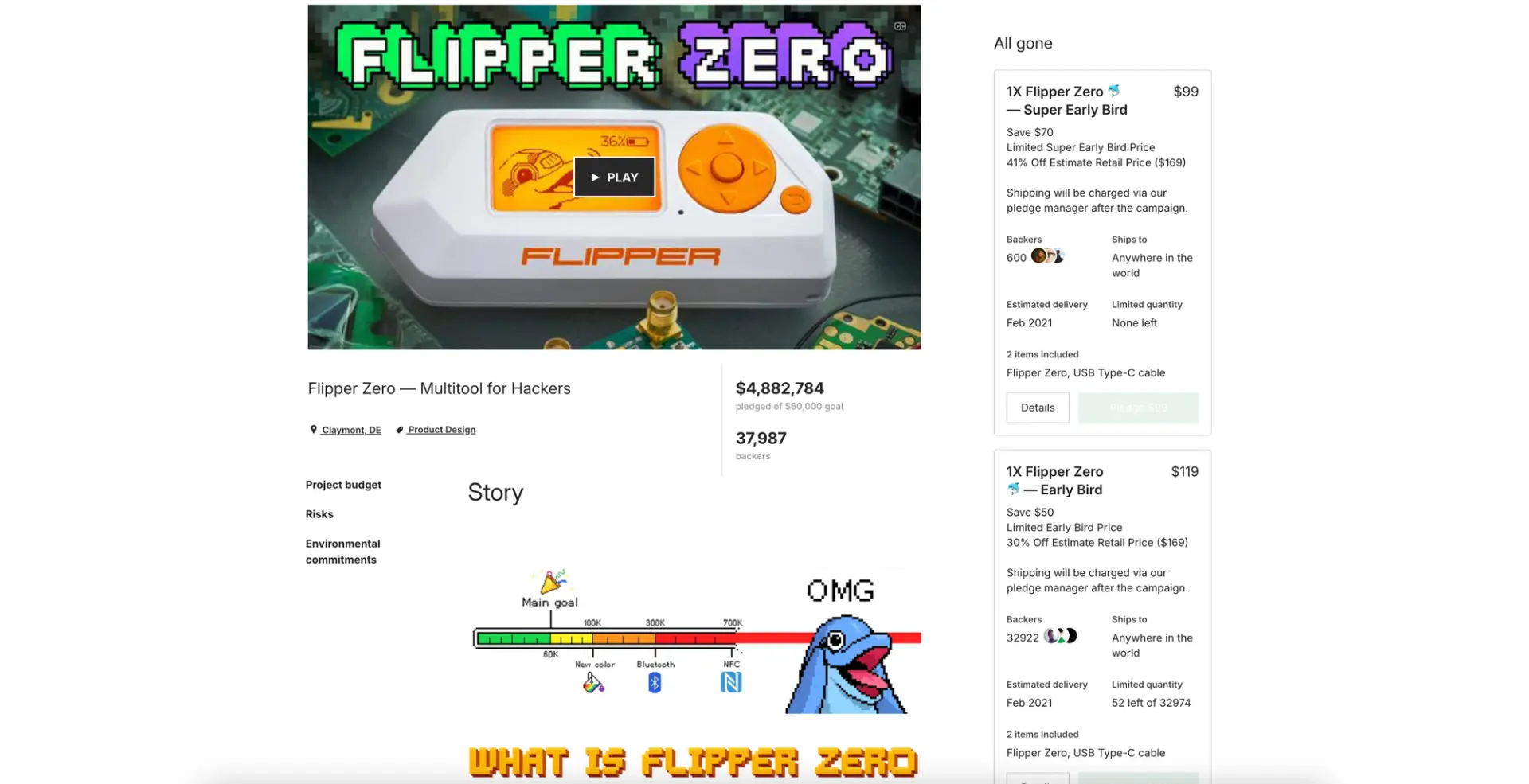
The Flipper Zero was introduced in 2020 through a Kickstarter campaign that quickly exceeded expectations, raising roughly $5 million against an initial goal of $60,000. Its success was not driven solely by technical capability, but by how it was positioned. Rather than targeting professional security teams or specialized labs, the Flipper was designed to be approachable. It combined open-source hardware, a low cost of entry, and a playful form factor to lower the barrier to exploring systems that are usually hidden behind dedicated equipment or vendor tooling.
At its core, the Flipper Zero is best understood as a teaching and exploration tool rather than a serious offensive security platform. It can interact with and, in some cases, break simple systems, particularly those built around fixed signals or weak assumptions. Its greater value lies in observation. By exposing frequencies, protocols, and constraints directly, the device helps users understand how everyday systems communicate and where their limits lie. The Flipper offers a hands-on way to learn why some technologies are trivial to emulate, why others resist interference, and how design choices across the spectrum shape real-world security outcomes.
The IR Blaster
Most consumer remote controls rely on infrared transmitters because they are simple, inexpensive, and easy to integrate. The Flipper Zero includes an infrared transmitter and receiver, with built-in support for many common protocols used by televisions, projectors, and air conditioners. Support is inherently inconsistent, as manufacturers implement variations, but the Flipper can also record raw infrared signals. This allows it to reproduce commands from existing remotes or from publicly available infrared code databases.
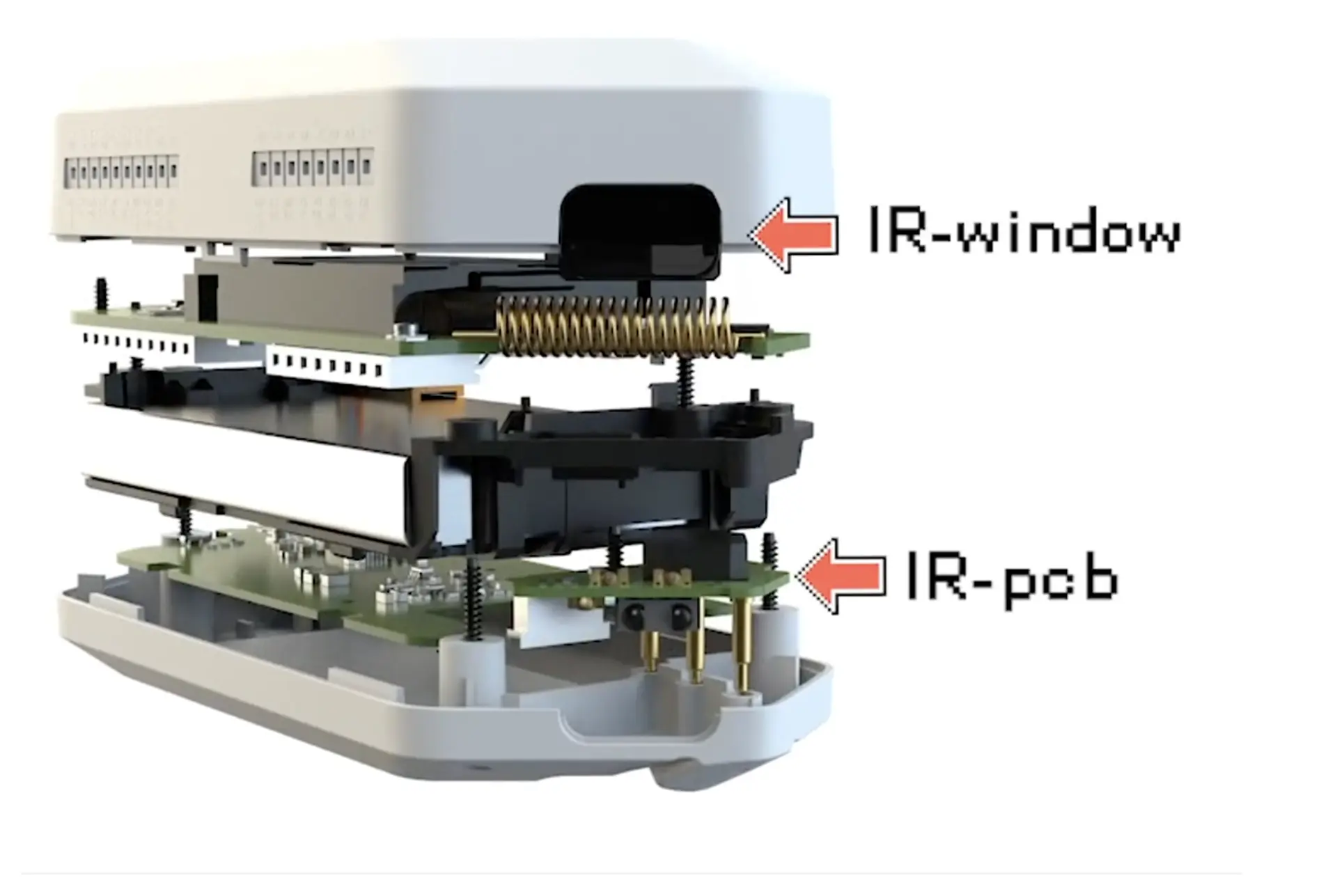
Infrared communication generally assumes line-of-sight, but in practice it is more forgiving than that description suggests. Infrared signals can reflect off walls, ceilings, and other surfaces, allowing them to propagate within a room even when the transmitter is not pointed directly at the receiver. This makes infrared easy to observe and capture in shared spaces, often without direct access to the target device. As a result, the primary risk is disruption rather than compromise, where control signals can be replayed with little effort.
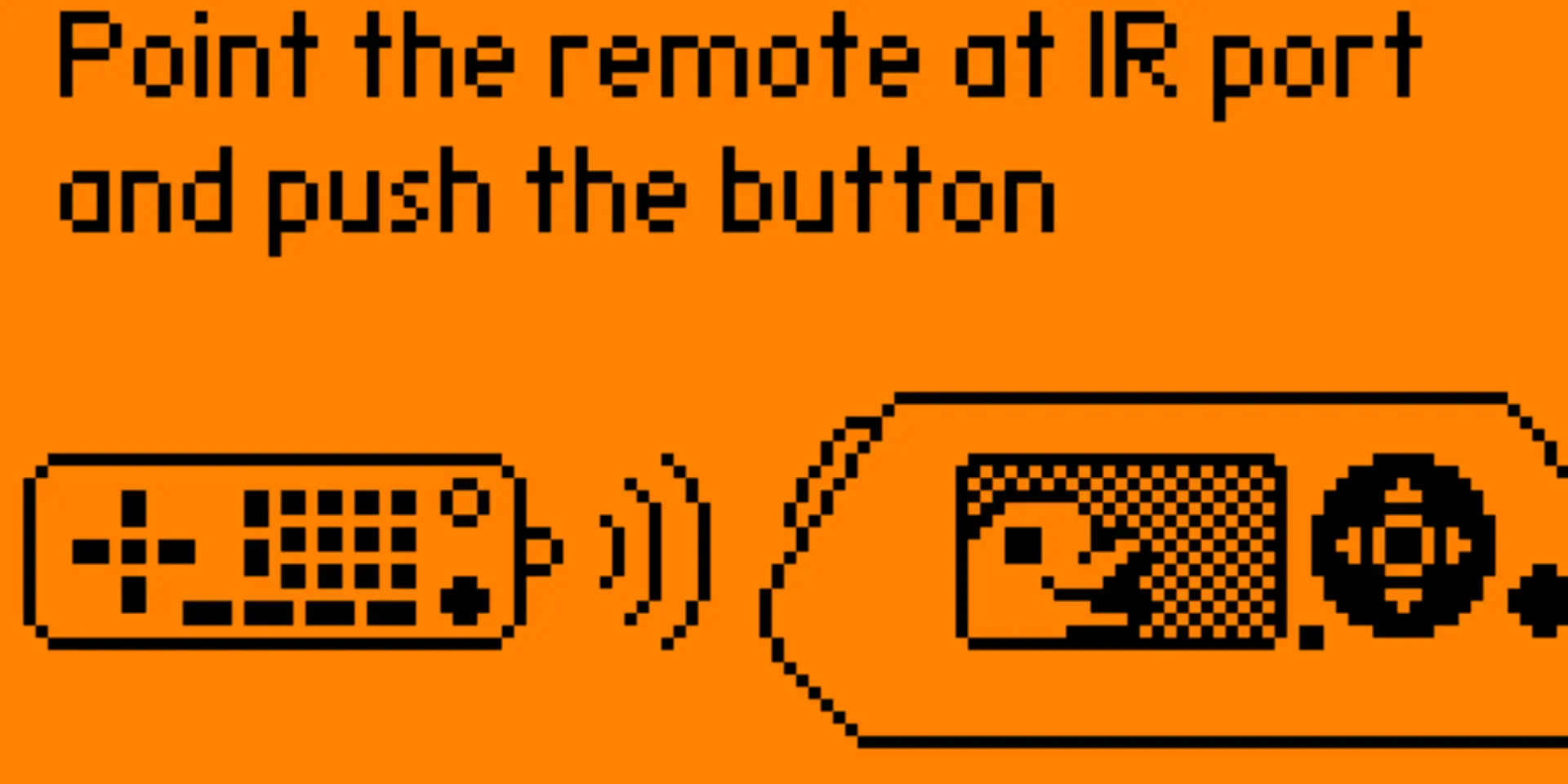
This characteristic also explains why infrared features are frequently associated with undesirable or mischievous behavior. The low barrier to capture and replay makes misuse easy in public or semi-public environments, especially where many devices rely on the same basic protocols. From an educational standpoint, this reinforces the broader lesson: infrared systems rely on physical context as a substitute for security. The Flipper Zero makes that assumption visible, showing both why infrared remains practical and why it breaks down outside the environments it was designed for.
Sub-Ghz Radio
Sub-GHz radio covers a wide range of low-power communication systems designed primarily for control rather than data exchange. Unlike infrared, these signals do not require line of sight and can travel through walls and over longer distances. This makes Sub-GHz radio a common choice for systems such as garage door openers, car key fobs, weather sensors, and simple home automation devices. Many of these systems, especially older garage remotes and early key fobs, were designed with reliability and convenience in mind rather than resistance to observation or replay.
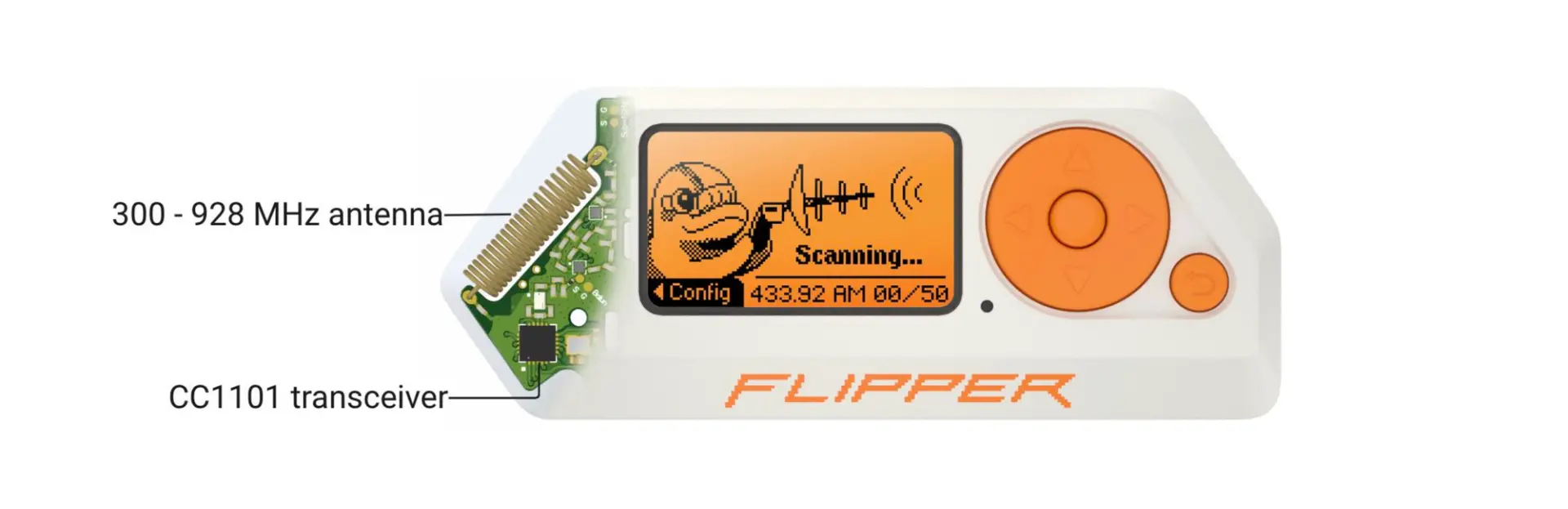
Early remote keyless entry systems, roughly from the late 1980s through the mid-1990s, often relied on fixed-code Sub-GHz transmitters. Pressing a button broadcast a static identifier, with no rolling code, challenge–response, or cryptographic state. From a protocol perspective, these systems behaved much like garage door remotes of the same era, assuming that limited range and obscurity were sufficient safeguards.
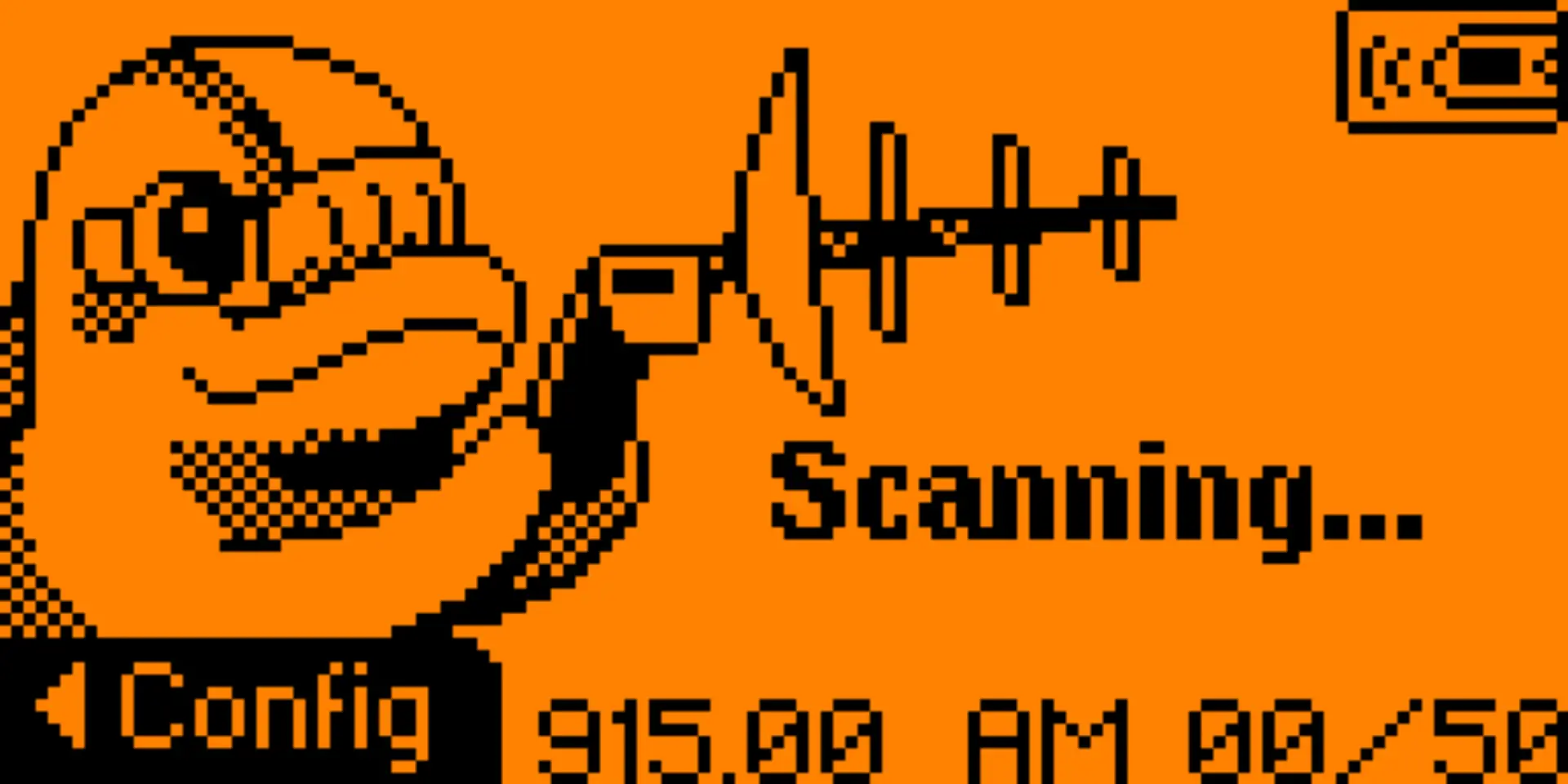
The Flipper Zero allows users to scan and observe Sub-GHz traffic directly, exposing details such as frequency, modulation, and timing. In some cases, it can also emulate captured signals. This makes Sub-GHz a useful teaching surface. It shows how broadcast-style control systems behave, how little information is often exchanged, and why replay attacks are possible when systems rely on fixed codes or minimal state.
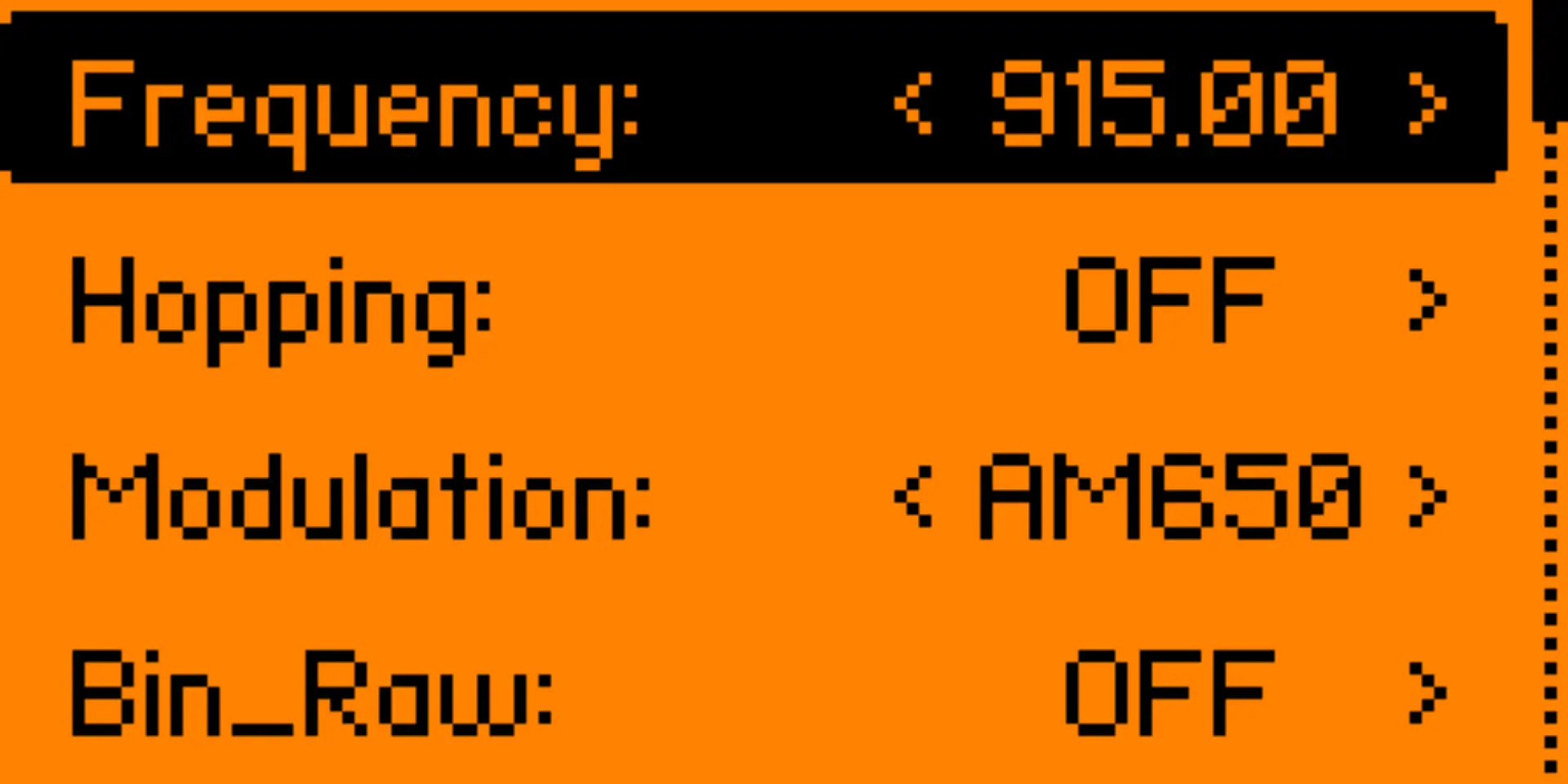
At the same time, Sub-GHz interaction illustrates the limits of simplistic assumptions. Even systems that appear similar can behave very differently due to protocol variations, timing constraints, or transmission characteristics. As replay attacks became widely understood and inexpensive radio hardware became more accessible, manufacturers moved toward rolling codes and cryptographic authentication, first in higher-end vehicles and eventually across the market. When emulation fails on modern systems, it does so for visible and instructive reasons, reinforcing the idea that security outcomes are shaped by protocol design rather than signal strength alone.
RFID Tool
ge of complexity. Many widely deployed implementations, especially low-frequency (LF) RFID operating around 125 kHz, are intentionally simple. These tags typically transmit a fixed identifier and contain little logic beyond that. They are inexpensive, durable, and easy to deploy, which made them popular for offices, gyms, and shared facilities. Their security model relies almost entirely on physical possession and proximity.
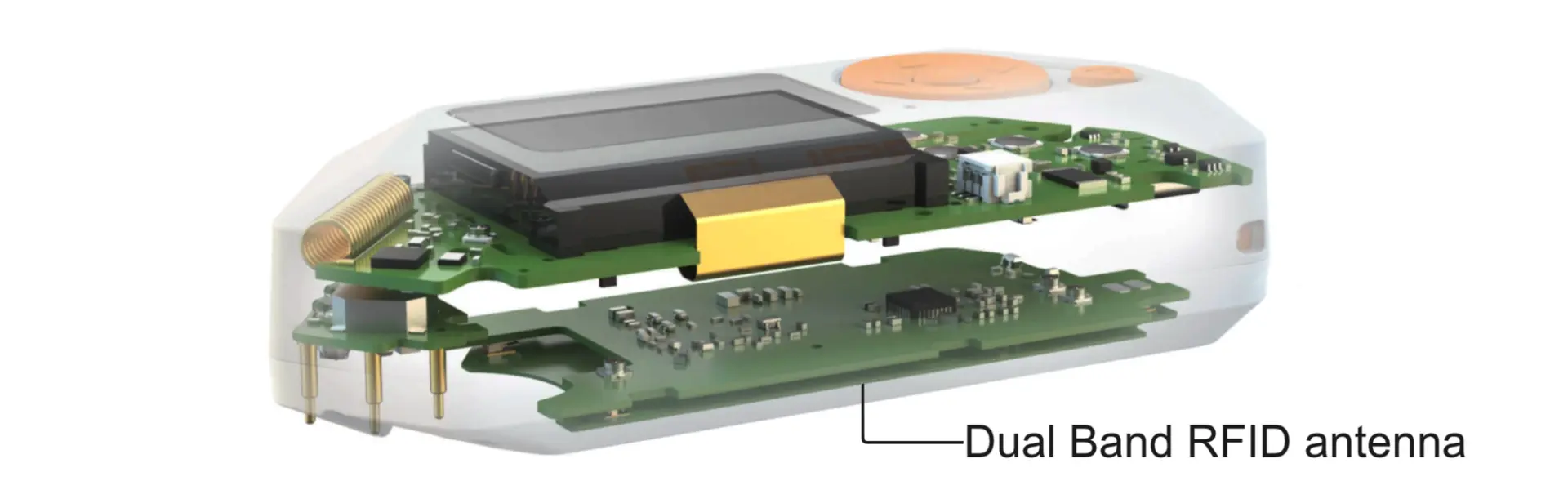
More advanced RFID systems exist, particularly at higher frequencies, where tags and readers engage in structured exchanges rather than simple broadcasts. These systems introduce protocol state, authentication, and, in some cases, cryptographic protections. The presence of both simple and complex designs highlights an important point: RFID itself is not a single security posture. Its properties are defined by implementation choices rather than by the underlying technology.
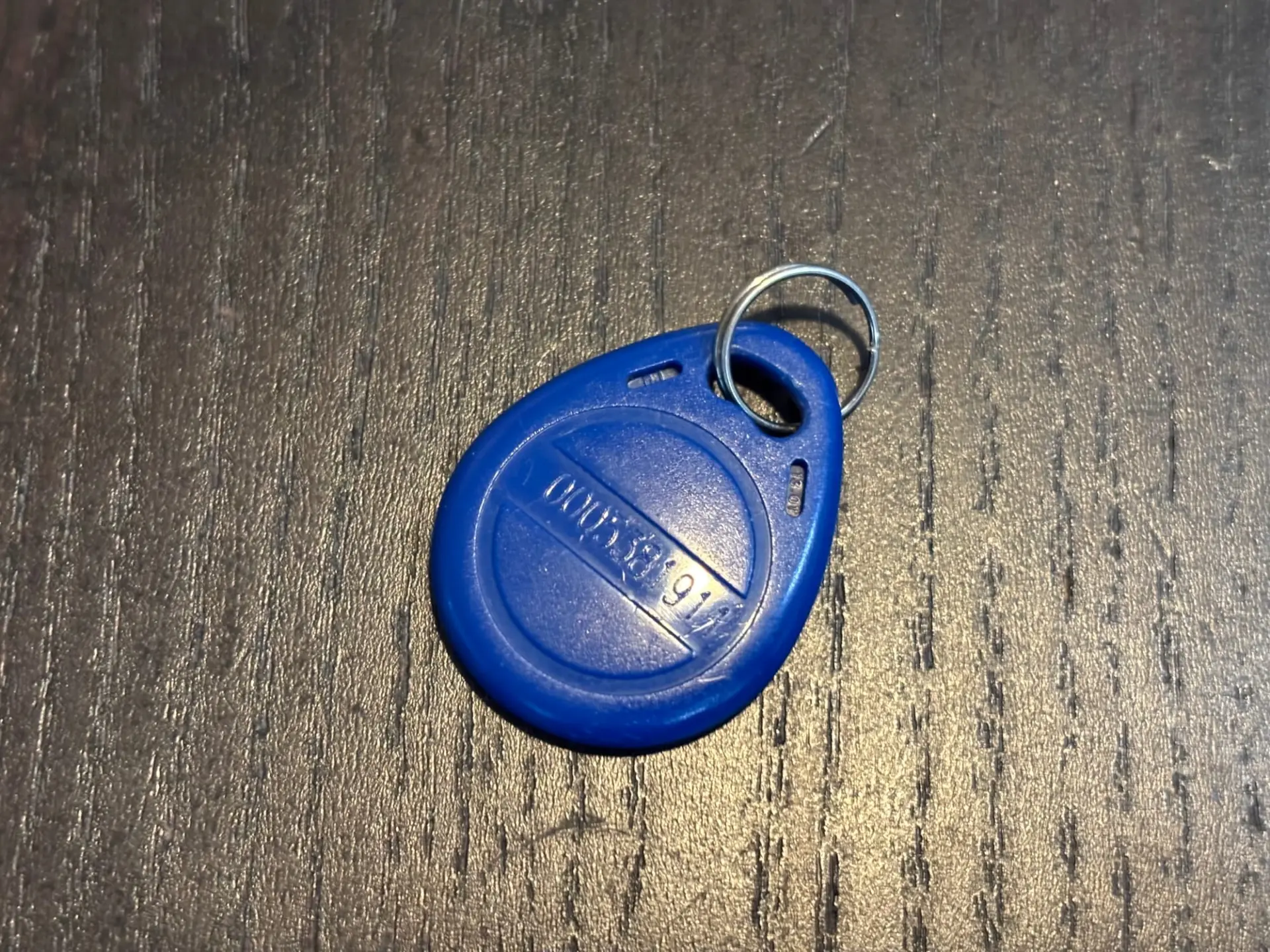
The Flipper Zero’s RFID tool focuses primarily on interacting with simpler systems. By reading and emulating low-frequency tags, it makes the assumptions behind identifier-based access visible. This makes RFID a useful teaching surface. It shows how possession can become indistinguishable from authorization, and why many organizations have moved away from static identifiers toward more sophisticated designs. The limitations encountered when interacting with modern systems are just as instructive, setting the stage for understanding why RFID evolved beyond simple identification.
NFC Reader
Near Field Communication (NFC) represents one of the most common examples of complex, high-frequency RFID in everyday use. Operating at 13.56 MHz, NFC builds on earlier RFID concepts but adds stricter constraints around range, protocol structure, and interaction models. Unlike simple identifier-based systems, NFC typically involves a structured exchange between reader and tag, often with multiple steps and defined roles. This makes it suitable for applications such as transit systems, access badges, and other environments where stronger guarantees are required.
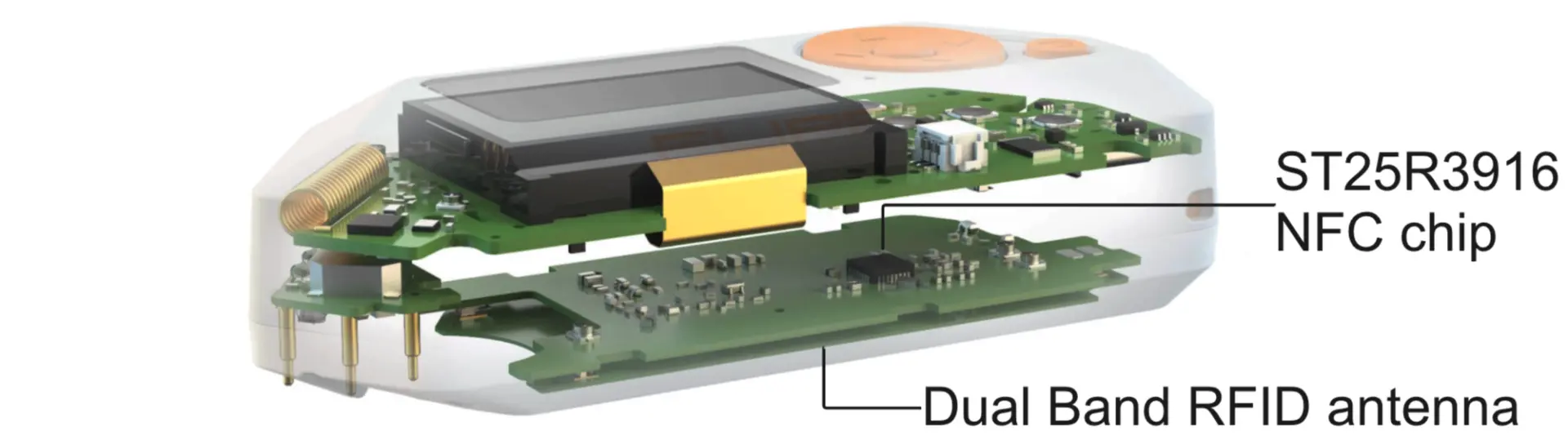
The Flipper Zero includes an NFC reader that allows users to scan and inspect compatible tags. In some limited cases, it can also emulate simple NFC data structures. More importantly, it exposes how NFC systems differ from earlier RFID designs. Attempts to emulate modern NFC credentials often fail, not because of hardware limitations, but because these systems rely on authentication, protocol state, and cryptographic checks that cannot be reproduced by replay alone. This makes NFC a useful contrast to LF RFID, highlighting how access systems evolve once static identifiers are no longer sufficient.
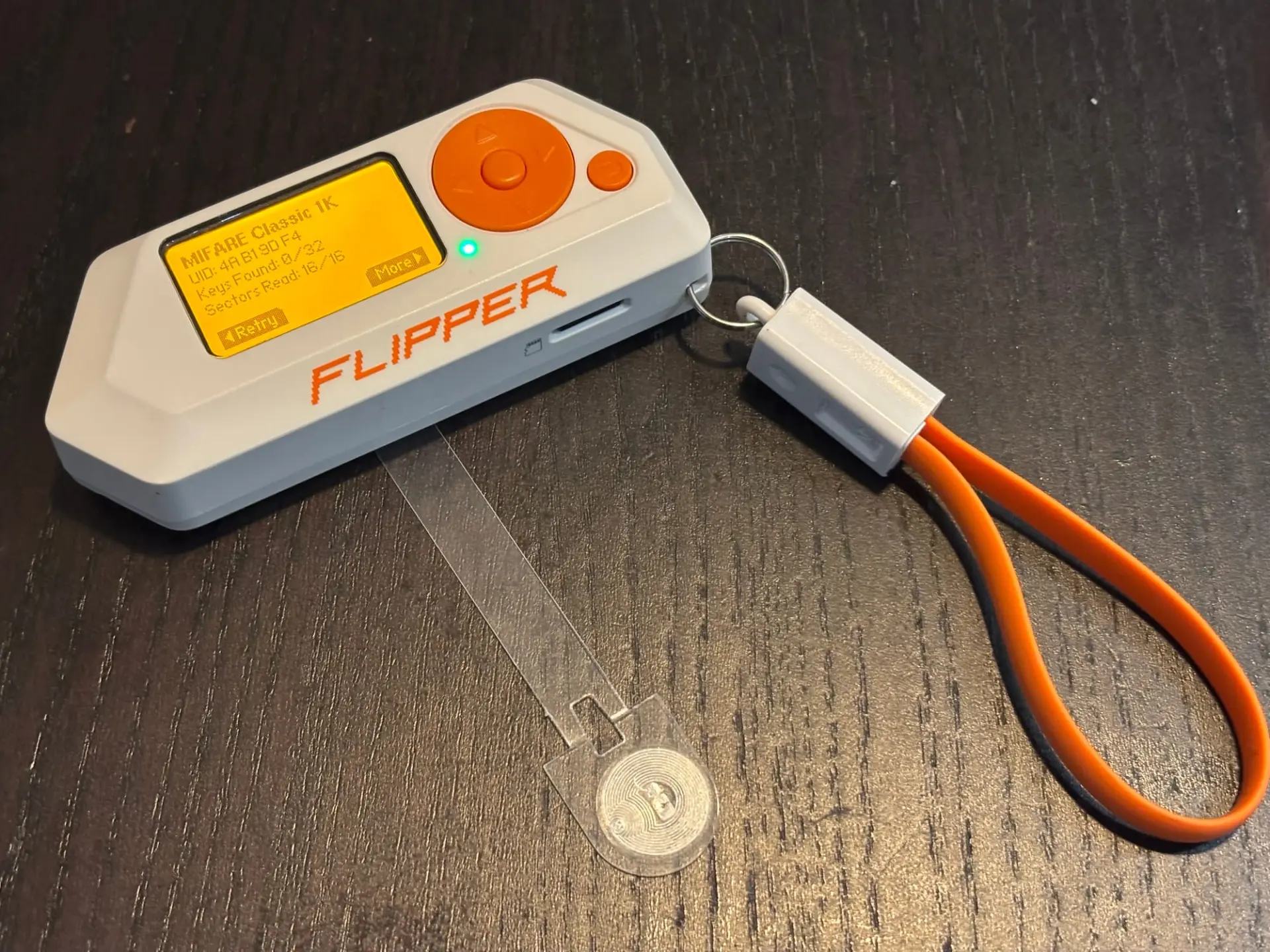
A practical and non-adversarial example of NFC interaction is found in Amiibo figurines. These toys store character data on embedded NFC tags, which can be read and interpreted by compatible devices. The Flipper Zero can scan the figure's data, and emulate the tag for supported use cases, making it a convenient way to explore how NFC stores structured information rather than simple identifiers. In this context, NFC serves as a clear illustration of how the same underlying technology can support both playful consumer applications and more security-sensitive systems, depending entirely on how it is implemented.
Bad USB
The Flipper Zero also supports a class of attacks commonly referred to as Bad USB, which exploit the implicit trust many systems place in USB devices. When connected over USB, a device can present itself as a Human Interface Device, such as a keyboard. Operating systems typically accept these devices without verification, assuming they behave as advertised. This design choice prioritizes ease of use, but it also creates an attack surface that bypasses traditional software and network defenses.
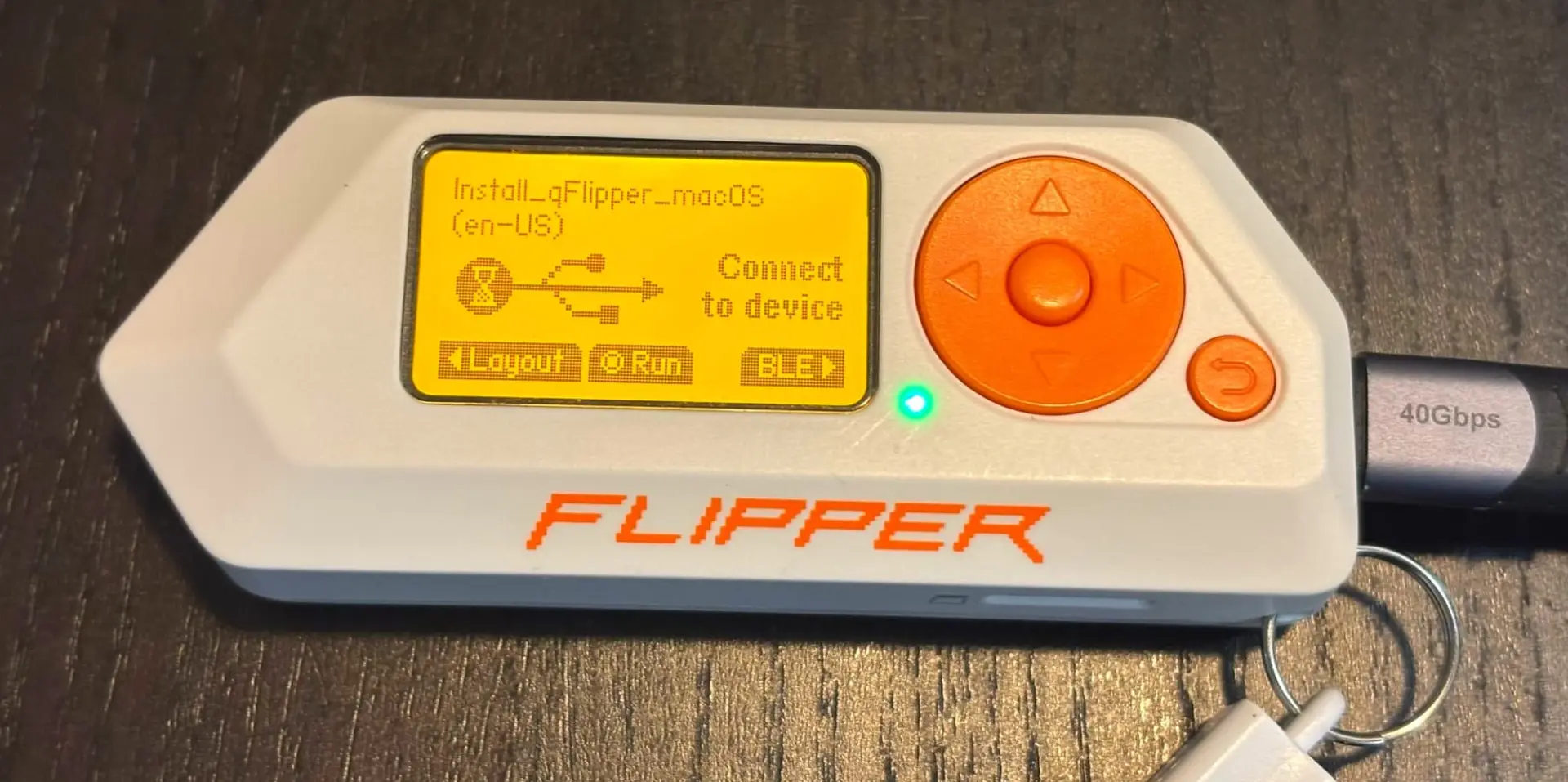
Bad USB interactions are typically driven by simple scripting languages, DuckyScript, that describe sequences of keystrokes and delays. These scripts are not complex programs, but timed instructions that rely on the host system interpreting input exactly as if it came from a human user. This makes the behavior easy to reason about and easy to demonstrate. A harmless example might involve opening a text editor and typing a visible message, illustrating how quickly a system responds to trusted input without requiring any special permissions or vulnerabilities.
REM Author: Technodabbler
REM Description: Opens notepad and types a message
DELAY 1000
GUI r
DELAY 500
STRING notepad
ENTER
DELAY 1000
STRING Hello World! This is a Flipper Zero test.
ENTER
STRING Written by the Flipper Zero in your USB Port!
Sample DuckyScript that opens Notepad and write to it.
In this context, the Flipper Zero is best used to demonstrate a design flaw rather than to perform an attack. When a USB device identifies itself as a keyboard, the computer assumes that every keystroke comes from a human sitting at the machine. There is no built-in way to verify intent. As a result, even very simple scripted input is accepted without question. Seeing this in action helps explain why many modern systems now warn about new USB devices, require user approval, or block USB ports entirely in sensitive environments.
GPIO and external modules
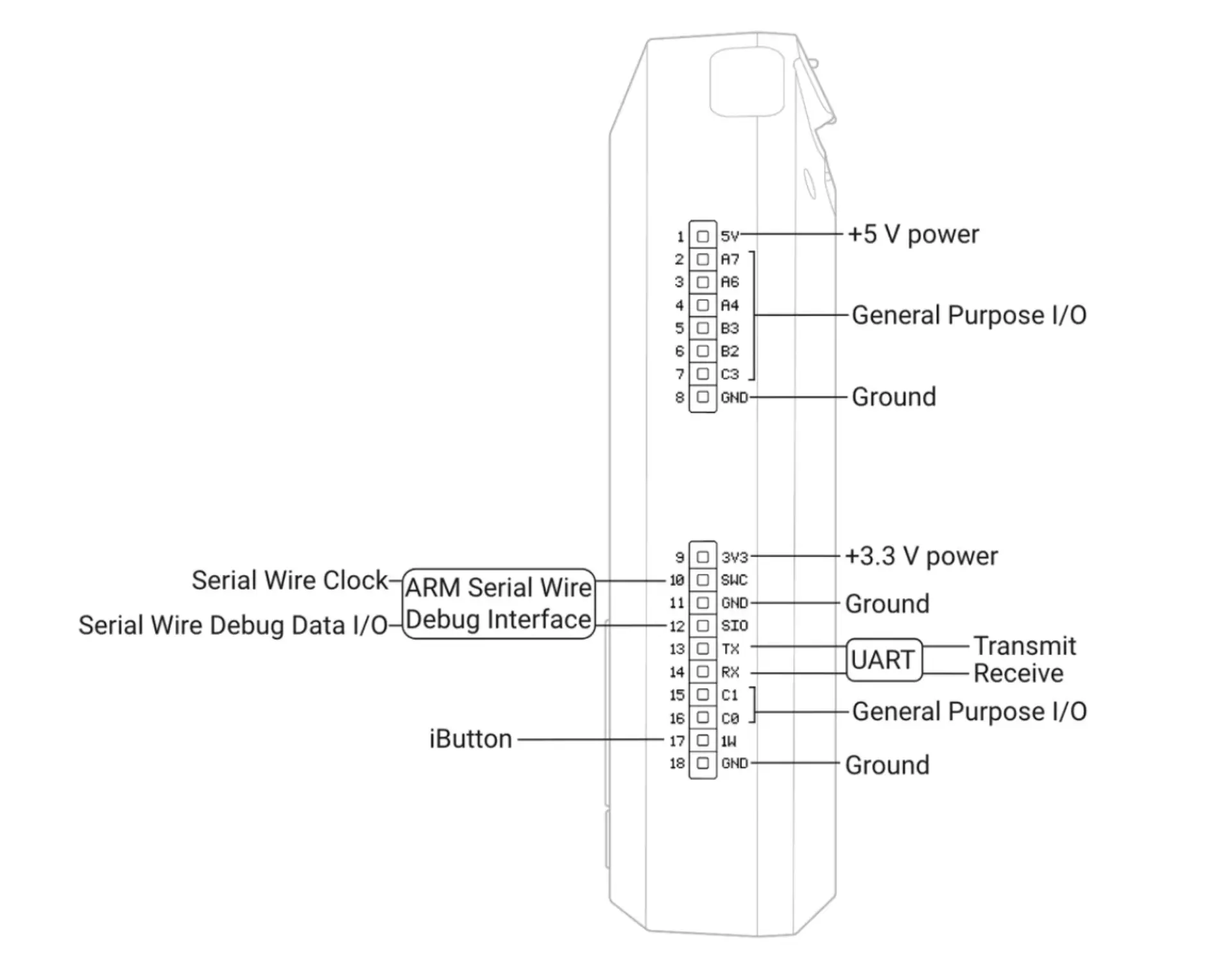
Beyond its built-in radios and interfaces, the Flipper Zero exposes a set of general-purpose input and output (GPIO) pins. These pins allow the device to interface with external hardware modules, extending it beyond what is possible with the internal components alone. GPIO modules typically add a dedicated chip or radio that the Flipper can control, observe, or proxy, turning it into a front-end for more specialized hardware.
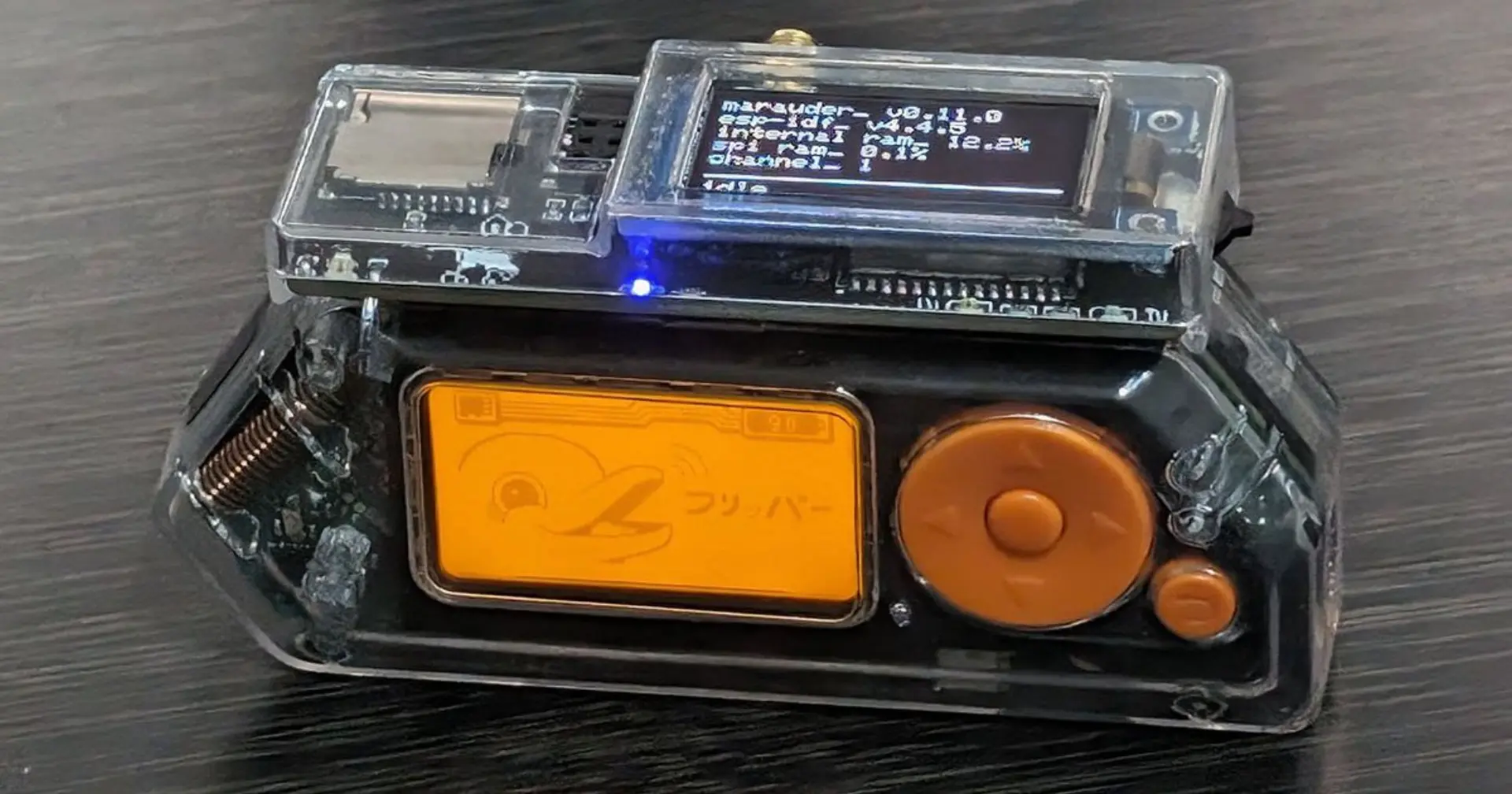
A common category of GPIO extensions is Wi-Fi modules. For example, modules based on ESP32 boards connect to the Flipper through GPIO and provide Wi-Fi capabilities that the device does not have natively. In this configuration, the Flipper acts as a controller and interface, while the external module performs the wireless communication. This setup is useful for exploring how Wi-Fi tooling differs from Sub-GHz or NFC, and why higher-level protocols often require more processing power and memory than the Flipper itself provides.

Another GPIO modules focus on specialized RFID interactions. Devices such as dedicated RFID analysis modules offload low-level timing or signal handling to external hardware while using the Flipper for control and inspection. These modules highlight an important boundary: some protocols are complex or sensitive enough that meaningful experimentation requires hardware tailored specifically for them. In these cases, the Flipper serves as an orchestration and learning interface rather than the core processing engine.

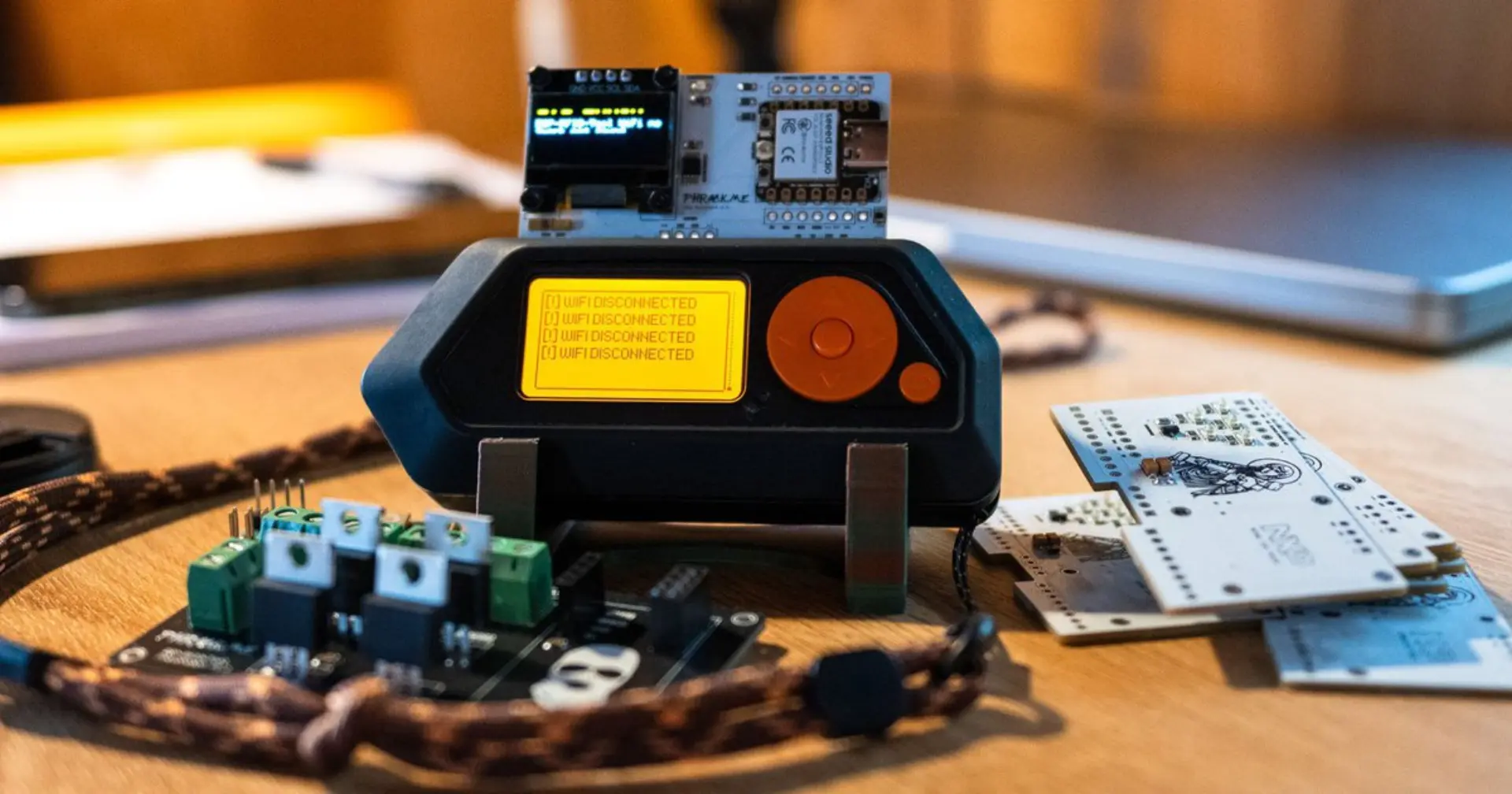
Taken together, GPIO modules reinforce a recurring theme in the Flipper Zero ecosystem. The device is not designed to do everything internally. Instead, it exposes clear extension points that make limitations visible and intentional. External modules do not replace understanding, they demand it, requiring users to reason about hardware roles, signal paths, and protocol boundaries rather than relying on a single all-purpose tool.
The Software that Powers the Flipper
The Flipper Zero’s software is as important as its hardware, because it defines how users interact with the systems being studied. It is designed to be simple to use, with a clear interface that allows users to capture, inspect, and replay signals without requiring specialized tooling or deep prior knowledge. This reinforces the device’s role as an educational instrument rather than a turnkey security tool.
Firmware
The Flipper Zero runs custom firmware that controls its radios, interfaces, and overall behavior. The official firmware prioritizes stability, broad hardware support, and a consistent user experience. It exposes core functionality without aggressively surfacing experimental features, making it a solid baseline for learning how different protocols behave and where their limits lie.
 Awesome Flipper
Awesome Flipper is a good resource linking to all actively maintained firmwares.
Alongside the official release, a wide ecosystem of community-maintained firmware variants has emerged. These projects tend to focus on different aspects of the Flipper experience rather than redefining the device itself. For example, Flipper Unleashed emphasizes expanded protocol tooling and convenience features, while RogueMaster focuses on usability tweaks, interface changes, and bundling experimental applications. Other projects explore alternative defaults, logging behavior, or how captured data is presented to the user. In all cases, these firmware variants work within the same hardware constraints as the official release.

What matters more than any specific firmware choice is the openness of the platform itself. The firmware is inspectable and modifiable, allowing users to see how signals are decoded, how data is stored, and why certain interactions fail. This transparency reinforces the Flipper’s role as an educational tool. Rather than presenting wireless systems as black boxes, the firmware ecosystem encourages exploration of implementation details, tradeoffs, and constraints, which is often where the most useful learning happens.
Application Ecosystem
Beyond firmware, the Flipper Zero supports an application ecosystem organized around the same interfaces and protocols discussed earlier in this article. The official app store groups applications by capability rather than by outcome. Categories such as Sub-GHz, RFID, NFC, Infrared, USB, GPIO, and iButton mirror the device’s hardware and radio interfaces. This structure reinforces the idea that the Flipper is a collection of instruments for interacting with specific parts of the spectrum and physical interfaces, not a single-purpose security tool.
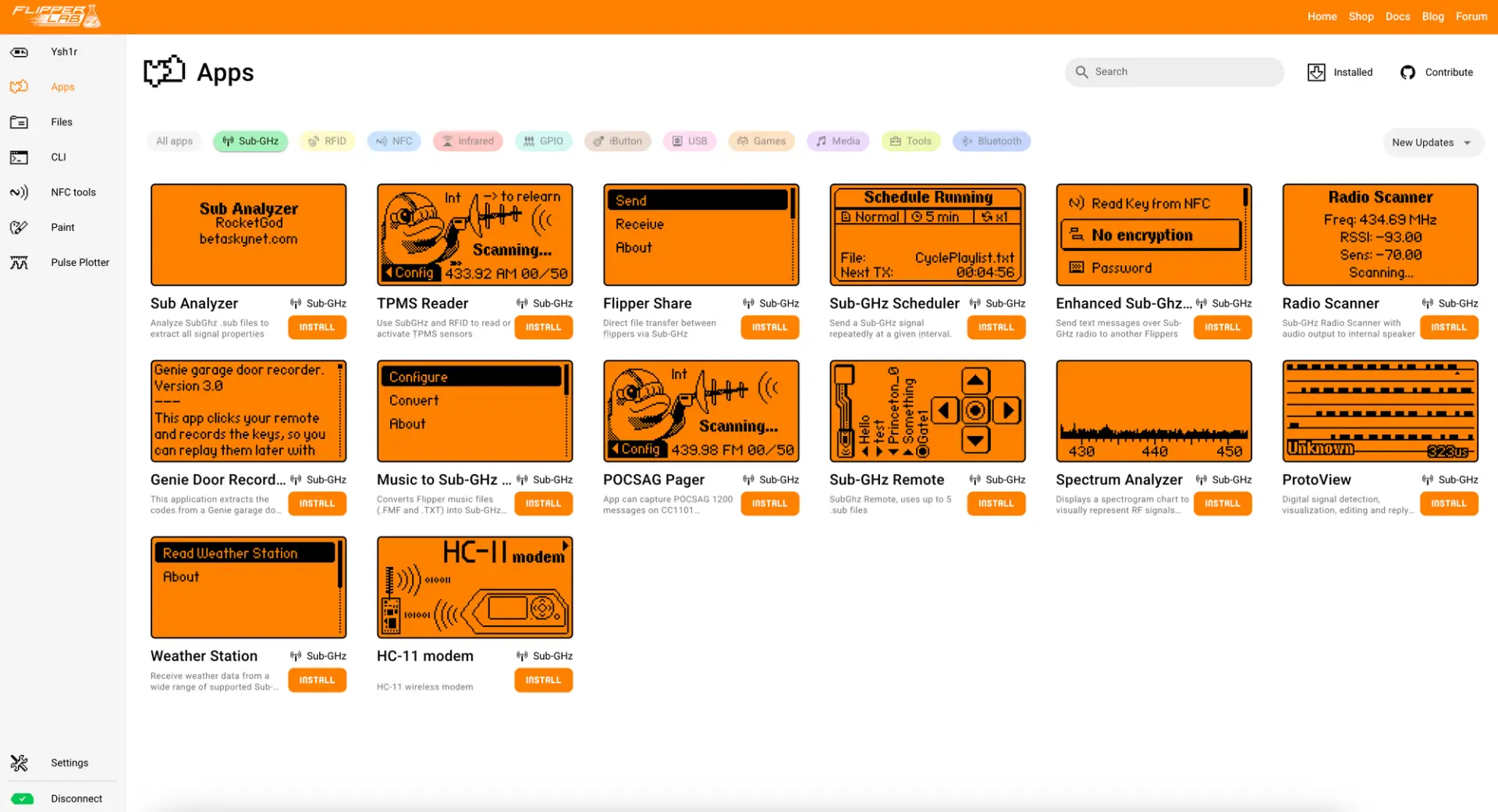
Within these categories, applications tend to extend visibility, convenience, or experimentation rather than introduce entirely new attack techniques. Sub-GHz apps include spectrum analyzers, protocol-specific remotes, and tools for observing environmental sensors. RFID and NFC apps add support for additional tag types or expose more detailed protocol information. Infrared apps expand device databases or improve signal capture workflows. GPIO and USB apps focus on interacting with external modules or exploring interface behavior, while Tools and Media apps provide supporting functionality such as file handling, diagnostics, or basic playback. Even the Games category reflects the device’s experimental nature, serving as a low-risk way to explore input, display, and timing constraints.
Taken together, the app ecosystem reinforces the Flipper Zero’s educational positioning. Applications are grouped by what they interact with, not by what they promise to accomplish. This encourages users to think in terms of protocols, interfaces, and assumptions, and to choose tools based on the system they want to understand rather than the result they expect to achieve.
The Web Interface
In addition to its on-device controls, the Flipper Zero provides a web-based companion interface that runs locally in a browser. This interface is used for tasks that benefit from a larger screen and persistent context, such as managing captured data, inspecting signal details, and organizing files across different protocols. It is also the primary way to flash firmware, making it straightforward to install official releases or switch between custom firmware without command-line tools.
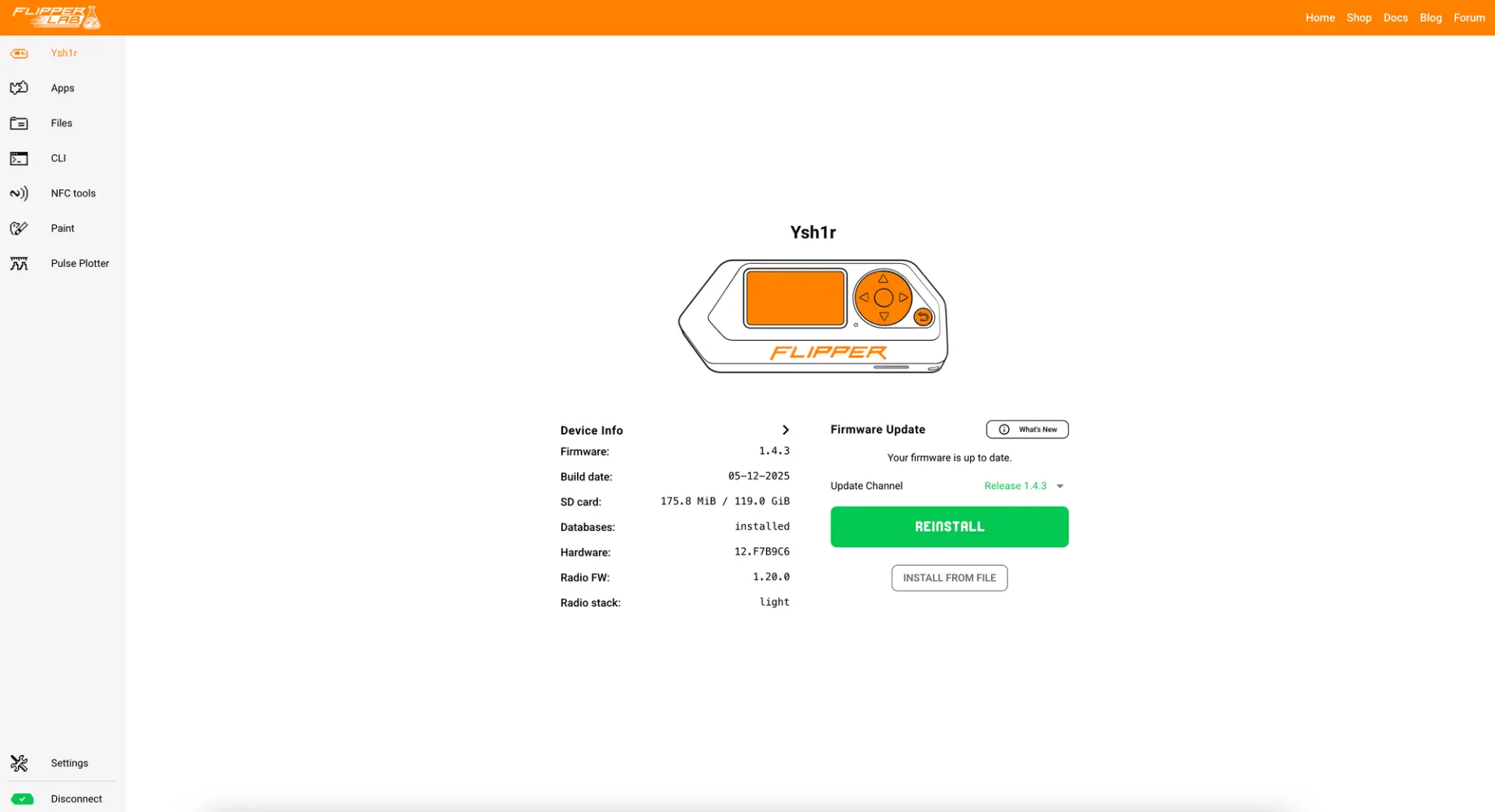
The web interface also serves as the main entry point for managing the application ecosystem. Apps can be browsed, installed, updated, or removed directly from the browser, turning the Flipper into something closer to a modular platform than a fixed-function device. This workflow reinforces the idea that the Flipper evolves through configuration rather than escalation. Users add tools relevant to the interfaces they want to explore, remove what they do not need, and treat the device as a flexible instrument rather than a standalone exploit gadget.
Also available is qFlipper for Windows, MacOS and Linux, or a mobile application for iOS and Android.
Record-and-Emulate
Across Sub-GHz, infrared, RFID, NFC, and USB, a common usage pattern emerges. The Flipper records some form of input, stores it, and then attempts to reproduce or emulate it. This model works well for simple systems that rely on fixed codes, static identifiers, or unauthenticated input. In these cases, replaying what was observed is sufficient to reproduce behavior.
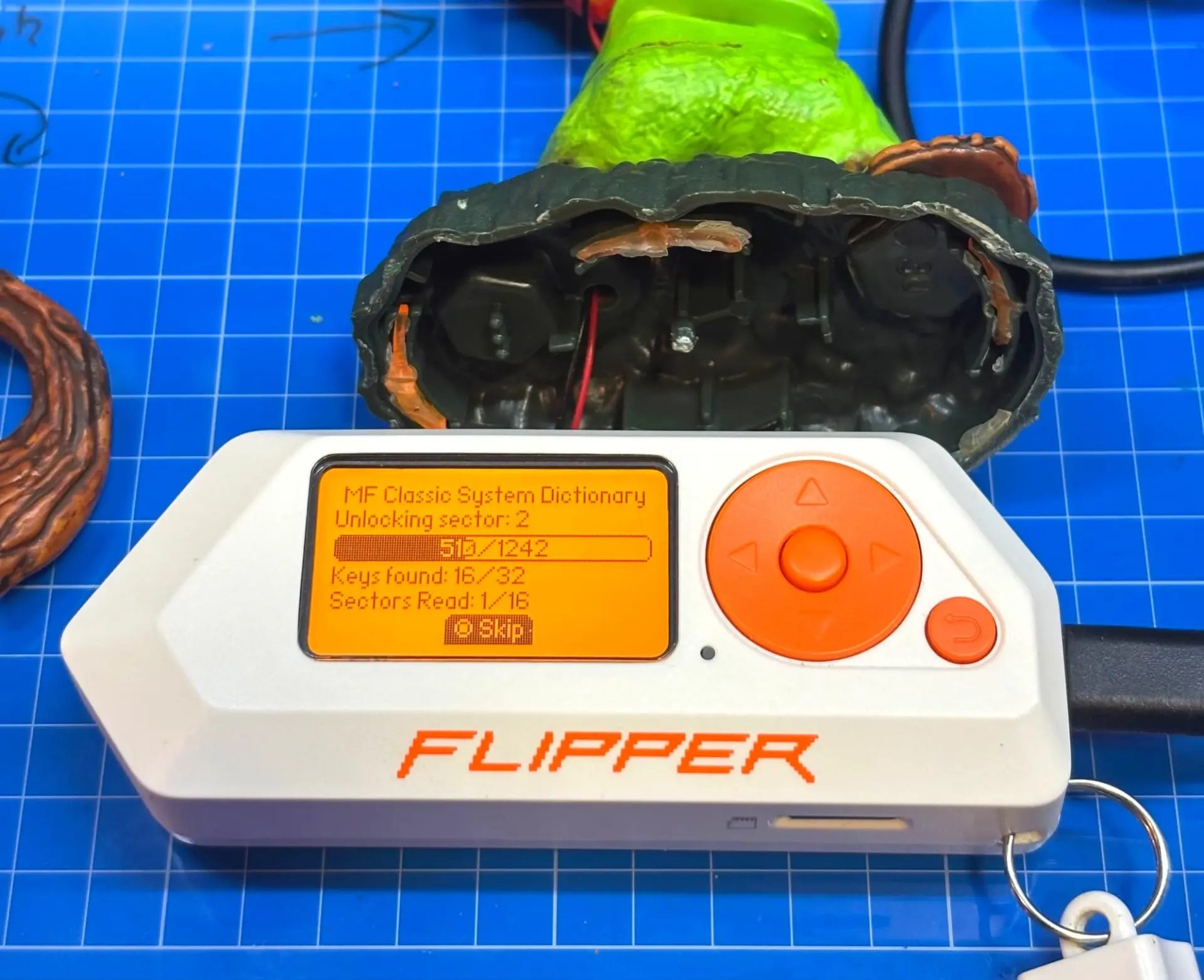
That same model breaks down as soon as systems introduce state, challenge-response mechanisms, or rolling codes. When a system expects fresh data, synchronized counters, or cryptographic verification, recording is no longer enough. The inability to replay or emulate becomes a teaching moment, highlighting the difference between systems designed for convenience and those designed with adversarial use in mind.
Taken together, the software experience reinforces the Flipper Zero’s core value. It is not a universal key. It is a tool that makes protocol assumptions visible, showing where simple replay works, where it does not, and why modern systems evolved away from static interaction models.
Endless Possibilities
The Flipper Zero stands out as a versatile, user-friendly tool that bridges the gap between hobbyist curiosity and professional security testing. Its broad range of functionalities opens up countless possibilities for exploring and testing the hidden signals and systems that surround us. While concerns about misuse have led to some restrictions on its sale, the device remains a valuable educational resource for understanding digital security and vulnerabilities. Whether for tinkering, pentesting, or creative projects, the Flipper Zero continues to captivate a wide audience, proving that powerful technology doesn’t always have to come in a complex package.
We’d love to hear your thoughts! Do you think the Flipper Zero is a misunderstood tool or a potential threat? Share your opinions and experiences in the comments below. If you enjoyed this article, check out our introduction antennas, the core of any good wireless system.


